
|
Do it yourself
| |||
| ||||


Replacing Rear Brake Pads
Model: Vauxhall Insigna
Insigna A, MK 1
- Years 2008-2017
Lift the vehicle onto suitable axle stands and remove the rear wheel (loosen the bolts before lifting); unscrew the retaining bolts of the brake caliper and remove it from its seat to access the worn pads; insert the new pads and use the appropriate tool to retract the caliper piston by turning it clockwise. Reposition the caliper and tighten the retaining bolts. Pump the brake pedal until it provides the correct resistance, and be cautious during the initial braking.
Updated on 12 February 2026 by ScegliAuto
Video tutorial
Related tutorials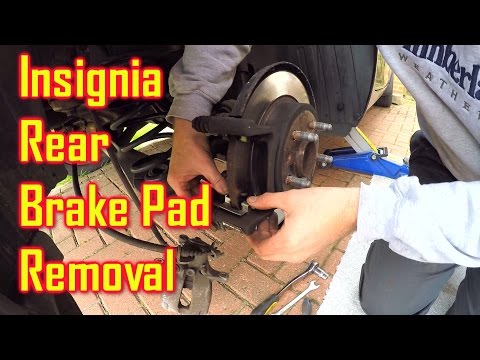
Vauxhall Insigna
(2008-2017 /
Insigna A, MK 1)
How do you change the rear brake pads on the Insignia? Lift the car with a jack and remove the rear wheel. Unscrew the caliper locking bolt, then rem…
Vauxhall Insigna
(2008-2017 /
Insigna A, MK 1)
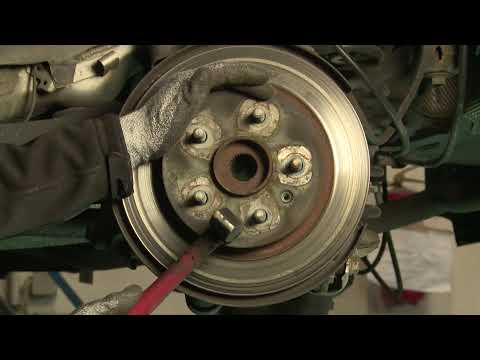
To replace the rear discs and pads, it is advisable to lift the vehicle on a ramp and remove the rear wheel. Before proceeding with the brake disasse…
Vauxhall Insigna
(2008-2017 /
Insigna A, MK 1)
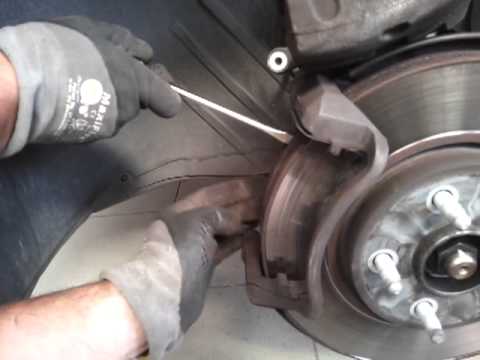
Lift the vehicle with a jack and remove the front wheel; unscrew the retaining pins of the brake caliper and remove it; extract the old pads from the…
Other guides you may be interested in
|
Where is the Spare Wheel in the Peugeot 5008?
This video shows where the spare wheel is located in the Peugeot 5008 and how to access it, useful in case of a puncture. As shown, the wheel is not in the usual boot compartment but underneath it, outside the vehicle. To free the wheel, first gather the tools provided, then open the boot, locate the small indicated hatch, and open it. Next, loosen the bolt just released using the large socket wrench enough to lower the wheel to the ground. by ScegliAuto More videos
|
|
For advertising on this site Write to info@scegliauto.com
ScegliAuto is not responsible for any inaccuracy of the data in the lists. To report any inaccuracy or your business (if you own the business in question), please write to info@scegliauto.com
Number of seconds to generate the page: 0.199
(c) ScegliAuto 2026 - info@scegliauto.com - Privacy policy VAT number: IT01247470535 |
