
|
Do it yourself
| |||
| ||||


Applying Vinyl Stickers Instructions
Model: Vauxhall Astra
Astra H
- Years 2004-2010
When applying vinyl stickers, the first recommendation is to thoroughly clean the surface. At this point, before removing the backing, rub the adhesive with your fingers to ensure the stencil adheres perfectly to the adhesive backing and to prevent any pieces from detaching during the removal of the backing. Then, remove the backing, apply the sticker without creating air bubbles, and rub it with your fingers to ensure it sticks well to the surface. Finally, remove the backing carefully to avoid pulling away the stencil.
Updated on 12 February 2026 by ScegliAuto
This video is currently unavailable
Related tutorials
Vauxhall Astra
(2015-2022 /
Astra K)
In the video we see how the Screen2Auto application works on our Opel Astra K, which can be downloaded for free on our onboard computer and can help …

Vauxhall Astra
(2015-2022 /
Astra K)
Knowing the tire pressure is an important maintenance task to perform, especially before a car trip or when we notice something strange on one of the…
Vauxhall Astra
(1998-2006 /
Astra G)
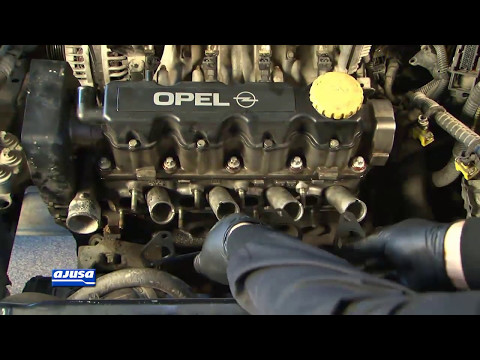
Before applying the new gasket to the intake manifold, clean the seating area thoroughly, removing any dirt and deposits to ensure perfect adhesion a…
Other guides you may be interested in |
How to change the time on a Toyota Yaris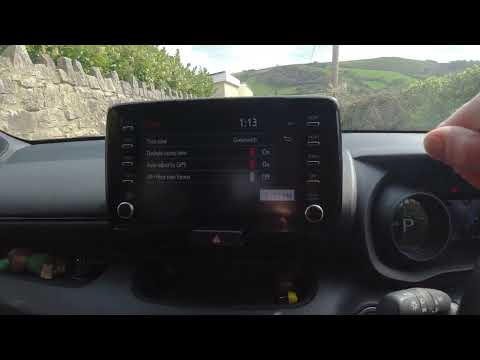
In this video we see how to change the time on a Toyota Yaris, specifically when it comes to switching from daylight saving time to standard time and vice versa. We go to the multifunction screen and press "settings": from there we go to press the clock, simply click on daylight saving time, and the clock will change the time for us, without doing anything else. All we want to do is just adjust the time format to 12 or 24 hours, as is customary in the area where we live: for example in Anglo-Saxon countries it is common to set the time to 12 hours, while in the European Union it is normally set to 24 hours. by ScegliAuto More videos
|
|
For advertising on this site Write to info@scegliauto.com
ScegliAuto is not responsible for any inaccuracy of the data in the lists. To report any inaccuracy or your business (if you own the business in question), please write to info@scegliauto.com
Number of seconds to generate the page: 0.053
(c) ScegliAuto 2026 - info@scegliauto.com - Privacy policy VAT number: IT01247470535 |
