
|
Do it yourself
| |||
| ||||


How to Reset the Maintenance Light on a 2004 Opel Meriva?
Model: Vauxhall Meriva
Meriva A, MK 1
- Years 2003-2010
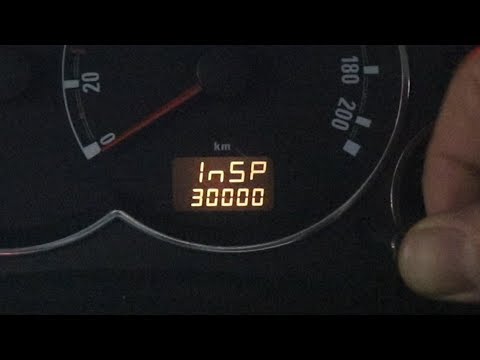
On the 2004 Opel Meriva, the service light appears on the dashboard display not with the usual spanner symbol but with the text "InSP", which stands for "inspection", the new term for the service interval. Once the required maintenance has been performed, you can reset the light using the procedure shown in the video. With the ignition off, press and hold the brake pedal and the trip odometer button located next to the display. While holding them down, turn the key to the ON position and wait for the InSP message to disappear, then release the pedal and button and turn off the ignition.
Updated on 11 June 2026 by ScegliAuto
Video tutorial
Related tutorials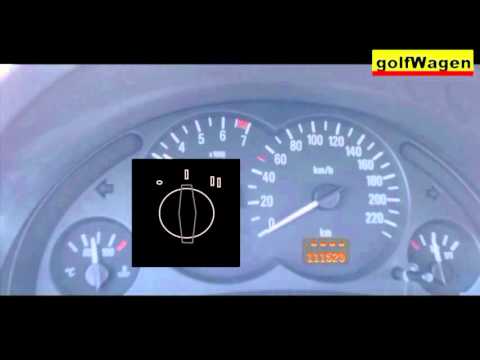
Vauxhall Meriva
(2003-2010 /
Meriva A, MK 1)
Today, you will learn how to reset the service light for the regular oil change maintenance on the Opel Meriva, following the instructions below. Fir…
Vauxhall Meriva
(2003-2010 /
Meriva A, MK 1)
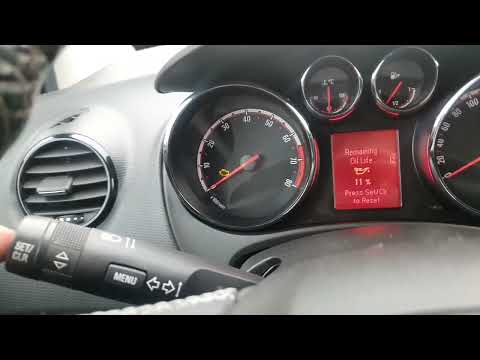
If you have just completed the regular service on your Opel Meriva A (2003-2010) and want to manually reset the warning light that continues to appea…
Vauxhall Meriva
(2003-2010 /
Meriva A, MK 1)
The procedure to reset the spanner light on an Opel Meriva is relatively simple. You won't need any special tools or equipment, as the onboard comput…
Other guides you may be interested in
|
Frequently Asked QuestionsHow to Open a Stuck Boot on the Peugeot 407?
On the Peugeot 407, the boot may become stuck, possibly due to a problem with the control button or the lock actuator. In such cases, you can perform an emergency opening by following the simple procedure shown in this tutorial. First, open the rear doors, then lower the seat back by operating the release lever. Next, go inside the boot, locate the lock, and manually operate it using a flathead screwdriver. The boot will then be free to open. by ScegliAuto More videos
|
|
For advertising on this site Write to info@scegliauto.com
ScegliAuto is not responsible for any inaccuracy of the data in the lists. To report any inaccuracy or your business (if you own the business in question), please write to info@scegliauto.com
Number of seconds to generate the page: 0.176
(c) ScegliAuto 2026 - info@scegliauto.com - Privacy policy VAT number: IT01247470535 |
