
|
Do it yourself
| |||
| ||||


How to reset the service light on Opel Corsa?
Model: Vauxhall Corsa
Corsa D
- Years 2006-2014
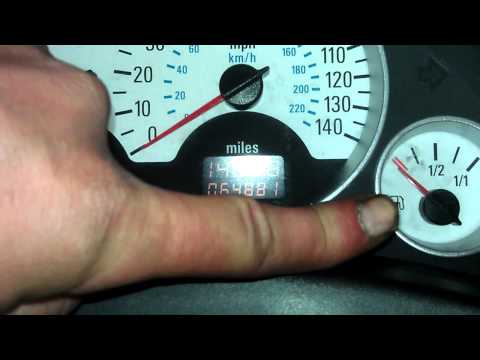
Resetting the service on the Opel Corsa D, as we can see in this tutorial, is an extremely simple and quick operation. Before proceeding, make sure you have completed all the required scheduled maintenance work. Begin by entering the vehicle, then insert the key and leave it in the initial position. Next, press and hold the button located in the center of the dashboard, below the speedometer, and simultaneously turn on the instrument cluster. Keep the button in this position for the necessary time to reset the service interval correctly.
Posted on 13 June 2023 by ScegliAuto
Video tutorial
Related tutorials
Vauxhall Corsa
(2000-2006 /
Corsa C)
In this tutorial, we can see how to reset the service in the Opel Corsa, an extremely simple and quick operation to be performed only after completin…

Vauxhall Corsa
(2006-2014 /
Corsa D)
In this tutorial we can see how to reset the service in the Opel Corsa, an extremely simple and quick operation, to be carried out only after complet…
Vauxhall Corsa
(2000-2006 /
Corsa C)
In this tutorial, we can see how to reset the service on the Opel Corsa, an extremely simple and quick operation, to be performed only once all the r…
Other guides you may be interested in
|
How to Reset the Maintenance Reminder on a Peugeot 207
To reset the maintenance reminder indicator, you will need to start your vehicle's ignition to use the buttons located next to the central display of the onboard computer. By holding both buttons for a few seconds, you will notice that all the warning lights on the dashboard will illuminate. Continue holding the buttons, and you will see a countdown start. When it reaches zero, you can turn off the ignition and restart the car to completely resolve the issue, and that's it! by ScegliAuto More videos
|
|
For advertising on this site Write to info@scegliauto.com
ScegliAuto is not responsible for any inaccuracy of the data in the lists. To report any inaccuracy or your business (if you own the business in question), please write to info@scegliauto.com
Number of seconds to generate the page: 0.120
(c) ScegliAuto 2026 - info@scegliauto.com - Privacy policy VAT number: IT01247470535 |
