
|
Do it yourself
| |||
| ||||


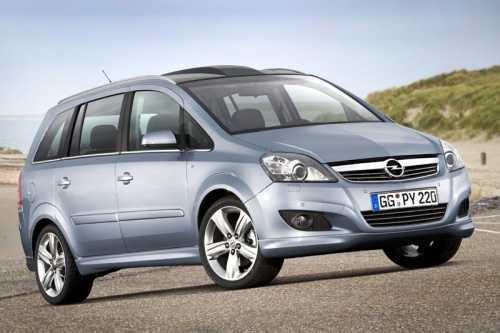
Installing the Digital Radio Module on Opel Zafira B
Model: Vauxhall Zafira
MK 2, A05, Zafira B
- Years:
2005, 2006, 2007, 2008, 2009, 2010, 2011
Video tutorial
If you want to equip your car radio with DIGITALRADIO, there are adapters available that can receive the DAB+ signal and redirect it to the existing car radio. The installation involves first removing the factory radio using the appropriate extraction keys, then placing the DAB+ antenna in the most favourable position, which is on the windscreen, concealing the wiring within the relevant pillar. Next, remove the glove compartment and the trim of the windscreen pillar. Attach the new antenna by sticking the adhesive flat to the glass and run the cable inside the pillar until it reaches the radio. Finally, insert the new module with the relevant adapter wiring and connect it to the factory radio.
Updated on 18 February 2026 by ScegliAuto
Related tutorials
Vauxhall Zafira
(1999-2005 /
Zafira A, T98, MK 1)
In this short video, you can see where the central locking module is located in the Opel Zafira and how to access it. It is positioned inside the cab…

Vauxhall Zafira
(1999-2005 /
Zafira A, T98, MK 1)
To replace the radio in an Opel Zafira, insert the appropriate keys provided into the four holes located at the corners of the device. This will allo…

Vauxhall Zafira
(2005-2011 /
MK 2, A05, Zafira B)
Let's see how to replace the standard car radio of an Opel Zafira B with an Android radio. We start by removing the old radio, and to do so we need t…
Other guides you may be interested in
|
How to reset the tyre pressure warning light on the Kia Niro EV?
To reset the tyre pressure warning light on the Kia Niro EV, inflate the tyres until they reach the correct pressure value. This value is indicated on the sticker attached to the driver's door pillar. Once the tyres are inflated, turn on the instrument cluster to check that the warning light has completely disappeared from the display. If it is still present, you may need to drive for a few miles to ensure it disappears completely from the screen. by ScegliAuto More videos
|
|
For advertising on this site Write to info@scegliauto.com
ScegliAuto is not responsible for any inaccuracy of the data in the lists. To report any inaccuracy or your business (if you own the business in question), please write to info@scegliauto.com
Number of seconds to generate the page: 0.099
(c) ScegliAuto 2026 - info@scegliauto.com - Privacy policy VAT number: IT01247470535 |
