
|
Do it yourself
| |||
| ||||



How to Reset the TPMS on Opel/Vauxhall Astra Version L
Model: Vauxhall Astra
Astra L
- Years:
2021, 2022, 2023, 2024, 2025, 2026
Video tutorial
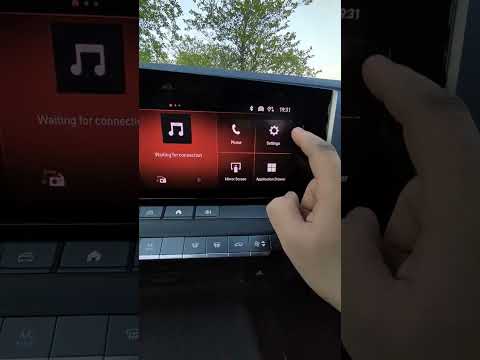
In this video, you will see how to reset the TPMS on an Opel/Vauxhall Astra Version L. If, for example, you had a flat tyre that has been repaired and now you want to reset the correct pressure on all the vehicle's tyres and turn off the warning light, here’s how to do it. The procedure is not very obvious, so it needs explaining: from the main screen of the onboard computer, press 'Settings', scroll down to 'Vehicle', then select 'Safety' on the left side. Scroll up until you find the tyre pressure setting option. You should have already adjusted the tyre pressures, so press 'Reset', and that's it!
Updated on 18 August 2026 by ScegliAuto
Related tutorials
Vauxhall Astra
(2015-2022 /
Astra K)
Following these brief steps, we will see how to recalibrate the TPMS sensors and consequently reset the tire pressure warning on the Opel Astra; befo…
Vauxhall Astra
(2021-2026 /
Astra L)
In this video tutorial, we will see how to reset the tyre pressure monitoring system (TPMS) light on an Opel Astra; before executing the reset, ensur…
Vauxhall Astra
(2009-2016 /
Astra J)
Below we will discover the information that will allow us to reset the tire pressure warning light of the Opel Astra; before resetting the TPMS senso…
Other guides you may be interested in |
How to Remove the Toll Tag Holder from the Car Windscreen
The toll tag holder is usually attached to the car windscreen to ensure that the toll tag functions immediately when passing through barriers. However, if you decide to remove the holder, you should follow this procedure: - Insert the toll tag into the holder; - Pull the holder inwards to detach it from the windscreen; you can use a glass scraper or a stiff plastic card to assist you; After removing the holder, it is essential to remove the adhesive from the windscreen. To remove the adhesive, we recommend using a solvent-based spray that will remove the glue without clouding the area. by ScegliAuto More videos
|
|
For advertising on this site Write to info@scegliauto.com
ScegliAuto is not responsible for any inaccuracy of the data in the lists. To report any inaccuracy or your business (if you own the business in question), please write to info@scegliauto.com
Number of seconds to generate the page: 0.026
(c) ScegliAuto 2026 - info@scegliauto.com - Privacy policy VAT number: IT01247470535 |
