
|
Do it yourself
| |||
| ||||


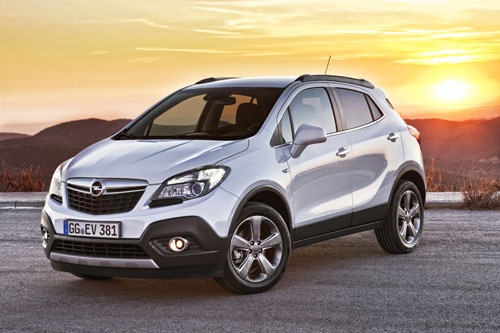
How to Operate the Main Beam on an Opel Mokka
Model: Vauxhall Mokka
Mokka A
- Years:
2012, 2013, 2014, 2015, 2016, 2017, 2018, 2019
Video tutorial
In today's video, we will see how to activate the main beams on the first series of the Opel Mokka. First, enter the vehicle and turn on the ignition or the vehicle itself. Once done, proceed with the operation. Pull towards you for temporary main beam activation; push the lever to activate the main beams permanently. At this point, you have seen how these lights operate in your Opel. If your car is equipped with full LED headlights, it is possible to activate the automatic on and off function for the main beams.
Updated on 22 August 2026 by ScegliAuto
Related tutorials
Vauxhall Mokka
(2012-2019 /
Mokka A)
Today we will see how to activate and deactivate the high beams on an Opel Mokka vehicle. To perform this operation, we need to start the vehicle and…

Vauxhall Mokka
(2012-2019 /
Mokka A)
Are the rear headlamp lights on your Opel Mokka not working anymore? This video shows how to replace the rear headlamp bulbs. Open the boot lid, and …

Vauxhall Mokka
(2012-2019 /
Mokka A)
If one of the headlights of your Opel Mokka first edition (year 2018) is not working properly and you want to find out how to replace it correctly, t…
Other guides you may be interested in |
How to Reset the Tyre Pressure Warning Light on a Kia Rio?
The tyre pressure warning light displayed on the instrument cluster of the Kia Rio can be reset by inflating the tyres until they reach the recommended pressure value: this value is indicated on the sticker affixed to the driver's door pillar. Once all tyres have been inflated to the recommended pressure, turn on the ignition to check that the light has disappeared: if it is still present, it may be necessary to drive for a few miles, allowing the sensors to work and thus turning off the light. by ScegliAuto More videos
|
|
For advertising on this site Write to info@scegliauto.com
ScegliAuto is not responsible for any inaccuracy of the data in the lists. To report any inaccuracy or your business (if you own the business in question), please write to info@scegliauto.com
Number of seconds to generate the page: 0.029
(c) ScegliAuto 2026 - info@scegliauto.com - Privacy policy VAT number: IT01247470535 |
