
|
Do it yourself
| |||
| ||||


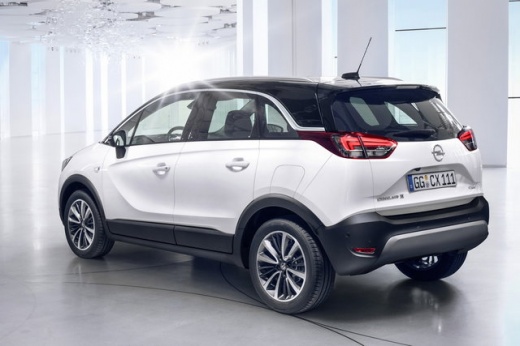
How to Reset the Service Light on an Opel Crossland X?
Model: Vauxhall Crossland X
MK 1
- Years:
2017, 2018, 2019, 2020, 2021, 2022, 2023, 2024
Video tutorial
To reset the Service light on an Opel Crossland X, turn on the ignition and then navigate through the menu that appears on the display: you will need to rotate the wheel with the screws up and down located on the lever to the left of the steering wheel. When the remaining oil life appears, press and hold the SET/CLR button at the end of the lever on the left of the steering wheel: this will allow you to select "Yes" on the confirmation message that will be displayed by pressing the MENU button on the left lever.
Updated on 6 September 2026 by ScegliAuto
Related tutorials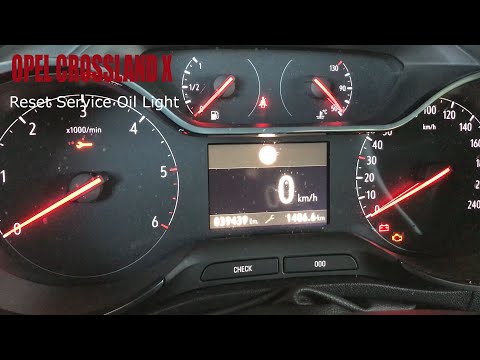
Vauxhall Crossland X
(2017-2024 /
MK 1)
Before you begin, sit in the driver's seat of your Opel Crossland X. Start by pressing and holding the "check" button located on the instrument clust…
Vauxhall Crossland X
(2017-2024 /
MK 1)
Before you start, sit in the driver's seat of your Opel Crossland X. Press and hold the "Check" button located on the instrument cluster. While doing…

Vauxhall Crossland X
(2017-2024 /
MK 1)
The tire pressure sensor shown on the instrument panel of the Opel Crossland X can be reset by inflating the tires to the recommended pressure value:…
Other guides you may be interested in
|
How to Remove the Toll Tag Holder from the Car Windscreen
The toll tag holder is usually attached to the car windscreen to ensure that the toll tag functions immediately when passing through barriers. However, if you decide to remove the holder, you should follow this procedure: - Insert the toll tag into the holder; - Pull the holder inwards to detach it from the windscreen; you can use a glass scraper or a stiff plastic card to assist you; After removing the holder, it is essential to remove the adhesive from the windscreen. To remove the adhesive, we recommend using a solvent-based spray that will remove the glue without clouding the area. by ScegliAuto More videos
|
|
For advertising on this site Write to info@scegliauto.com
ScegliAuto is not responsible for any inaccuracy of the data in the lists. To report any inaccuracy or your business (if you own the business in question), please write to info@scegliauto.com
Number of seconds to generate the page: 0.023
(c) ScegliAuto 2026 - info@scegliauto.com - Privacy policy VAT number: IT01247470535 |
