
|
Do it yourself
| |||
| ||||


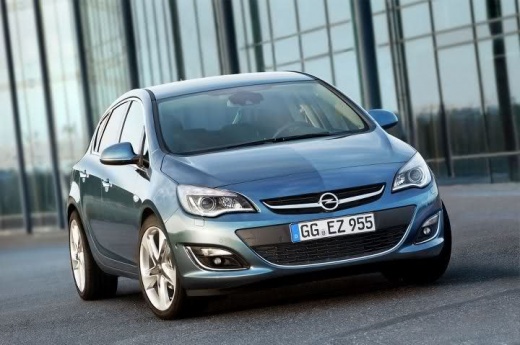
How to set the clock in the Opel Astra?
Model: Vauxhall Astra
Astra J
- Years:
2009, 2010, 2011, 2012, 2013, 2014, 2015, 2016
Video tutorial
To adjust the clock in the Opel Astra, turn on the instrument panel so you can use the controls on the central dashboard panel: select the CONFIG option to navigate to the menu that will appear on the screen in the centre of the dashboard. Select the "Time and date" option to access the screen from which you can modify both the hours and minutes; once you have finished making adjustments, return to the initial menu screen to ensure everything is functioning correctly.
Updated on 23 September 2026 by ScegliAuto
Related tutorials
Vauxhall Astra
(2009-2016 /
Astra J)
On the Opel Astra J, turn on the ignition and open the Settings menu from the central panel (CONFIG button and knob/OK on the console). On the screen…

Vauxhall Astra
(2009-2016 /
Astra J)
Let's see how to set the clock on an Opel Astra J, a process that is done from the multimedia screen: turn on the instrument panel and access the set…

Vauxhall Astra
(1998-2006 /
Astra G)
To adjust the clock of the Opel Astra, you will need to turn on the instrument panel by inserting the ignition key into the corresponding slot: once …
Other guides you may be interested in
|
Frequently Asked QuestionsHow to open the boot if it is stuck on a Mercedes B-Class?
On the Mercedes B-Class, the boot may become stuck, possibly due to a problem with the control button or the lock actuator. In this case, perform the emergency opening by following the simple procedure shown in this tutorial. First, unlock the locks with the remote control, then open the rear doors and, by operating the indicated lever, lower the backrest of the seat. Next, go inside the boot, locate the indicated gap, and manually unlock the lock using a small screwdriver. by ScegliAuto More videos
|
|
For advertising on this site Write to info@scegliauto.com
ScegliAuto is not responsible for any inaccuracy of the data in the lists. To report any inaccuracy or your business (if you own the business in question), please write to info@scegliauto.com
Number of seconds to generate the page: 0.080
(c) ScegliAuto 2026 - info@scegliauto.com - Privacy policy VAT number: IT01247470535 |
