
|
Do it yourself
| |||
| ||||


How do you reset the urea warning light in the Peugeot Partner?
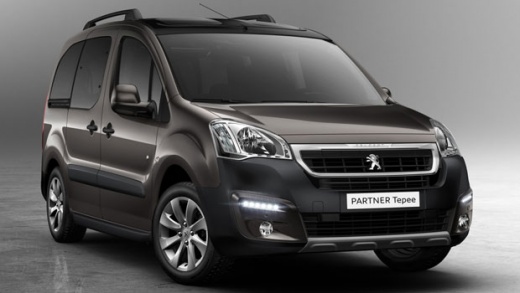
Model: Peugeot Partner Tepee
B9
- Years 2008-2018
Urea is the additive to be used in the latest generation diesel engines, useful for reducing the emissions of the car. It is contained in its own tank, next to the fuel tank, and has a predetermined mileage autonomy, in fact when the quantity of it goes into reserve, the light on the instrument panel comes on to remind us to top it up. Once this additive is purchased and poured, we will not have to do anything else, as the vehicle's control unit, after receiving the signal of increased level from the sensor, will automatically turn off the aforementioned light.
Posted on 23 December 2024 by ScegliAuto
Video tutorial
Related tutorials
Peugeot Partner Tepee
(2008-2018 /
B9)
Let's see how to correctly diagnose a problem with the AdBlue system of a Peugeot Partner. The engine control unit signals errors such as "urea press…

Peugeot Partner Tepee
(2018-2026 /
MK 3)
The latest generation diesel engine in the Peugeot Partner requires the use of AdBlue, an additive containing urea, to reduce exhaust emissions after…

Peugeot Partner Tepee
(2008-2018 /
B9)
If you have a 2014 Peugeot Partner and are wondering how to perform the manual reset procedure for the service light, then all you need to do is foll…
Other guides you may be interested in
|
Frequently Asked QuestionsHow to Reset the Tyre Pressure Light on the Opel Grandland X
While driving, if you notice the tyre pressure warning light coming on, first check the actual inflation pressure of the tyres and, if necessary, restore the pressures recommended by the manufacturer. After restoring the correct pressures, you need to reset the warning light that has illuminated on the instrument cluster. To do this, locate the reset button on the lower central console. Press this button and hold it down for at least 3 seconds, after which the low pressure indication will turn off. by ScegliAuto More videos
|
For advertising on this site Write to info@scegliauto.com
ScegliAuto is not responsible for any inaccuracy of the data in the lists. To report any inaccuracy or your business (if you own the business in question), please write to info@scegliauto.com
Number of seconds to generate the page: 0.202
(c) ScegliAuto 2026 - info@scegliauto.com - Privacy policy VAT number: IT01247470535 |
