
|
Do it yourself
| |||
| ||||


How do you deactivate the lane keeping function in the Peugeot 308?
Model: Peugeot 308
P5, MK 3
- Years 2021-2026
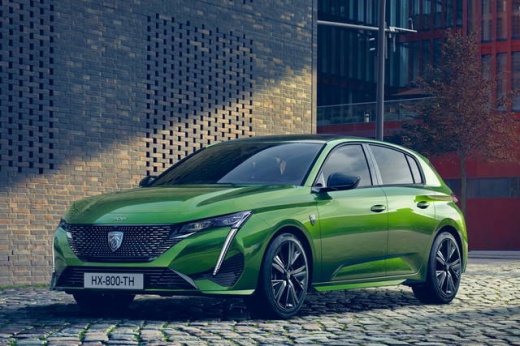
With the function mentioned above active, an involuntary distraction of the driver, resulting in a swerve, causing the vehicle to go beyond its lane, is automatically corrected by the electronics. For a personal choice, regarding the Peugeot 308, the way to deactivate this safety device is there and it is very easy, in fact to the left of the steering wheel, next to the start and stop activation and deactivation button, we also find the button to enable and disable lane keeping. Just press it and when the LED inside it lights up, it means that the exclusion has occurred.
Posted on 3 February 2025 by ScegliAuto
Video tutorial
Related tutorials
Peugeot 308
(2021-2026 /
P5, MK 3)
The lane keeping system of the Peugeot 308 is a control system that, through cameras and sensors, alerts the driver when they are about to exceed the…

Peugeot 308
(2013-2021 /
T9, MK 2)
In this video, we see how to deactivate the lane-keeping system on a Peugeot 308: as it is an ADAS, we need to select this option on the multimedia s…

Peugeot 308
(2021-2026 /
P5, MK 3)
The Peugeot 308 MK3 has shown good performance in stability tests, both on dry and wet roads, with good control even in emergency situations, such as…
Other guides you may be interested in
|
Frequently Asked QuestionsHow to set the clock on the Opel Zafira
Setting the clock to the current Italian time on an Opel Zafira model B vehicle is a very simple operation, which can also be done independently thanks to our short instructional video. The first thing to do is to turn on the instrument panel and then press the SETTING button, located on the central dashboard. Once inside the menu, use the buttons to navigate to the clock setting. Change the hours and minutes and restart the instrument panel. If the clock is not updated, a diagnosis may be necessary at the radio or vehicle control unit. by ScegliAuto More videos
|
|
For advertising on this site Write to info@scegliauto.com
ScegliAuto is not responsible for any inaccuracy of the data in the lists. To report any inaccuracy or your business (if you own the business in question), please write to info@scegliauto.com
Number of seconds to generate the page: 0.079
(c) ScegliAuto 2026 - info@scegliauto.com - Privacy policy VAT number: IT01247470535 |
