
|
Do it yourself
| |||
| ||||


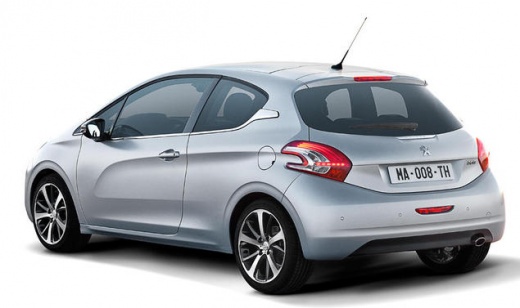
How do you reset the infotainment system of the Peugeot 208?
Model: Peugeot 208
A9, MK 1
- Years 2012-2019
In order to reset the infotainment system of the Peugeot 208, you need to connect a diagnostic tool to the OBD port of the vehicle: this can be found on the dashboard immediately below the steering column. Once the scanner is connected, you can select the model of the car and its corresponding version: this way you can remove the stored errors that cause the infotainment system to malfunction. After disconnecting the scanner, you can then verify that everything is functioning correctly.
Posted on 19 February 2025 by ScegliAuto
Video tutorial
Related tutorials
Peugeot 208
(2012-2019 /
A9, MK 1)
To reset the infotainment system of the Peugeot 208, it will be necessary to open the hood in order to locate the battery inside the engine compartme…

Peugeot 208
(2012-2019 /
A9, MK 1)
The information provided in this guide will show us how to reset the infotainment system and radio of the Peugeot 208. First, we get on board the veh…

Peugeot 208
(2012-2019 /
A9, MK 1)
To reset the infotainment system of the Peugeot 208, you need to turn on the instrument panel by inserting the ignition key into the corresponding sl…
Other guides you may be interested in
|
Frequently Asked QuestionsHow to reset the tyre pressure warning light on a Hyundai Tucson
Below are the instructions to reset the tyre pressure warning light (TPMS) on a Hyundai Tucson. First, get into the vehicle and turn on the instrument cluster; then navigate to the vehicle settings until you reach the tyre pressure monitor, identifying the tyre with incorrect pressure. At this point, restore all tyre pressures according to the specifications indicated on the label; this will reset the TPMS and the warning light will be cleared from the instrument cluster! by ScegliAuto More videos
|
For advertising on this site Write to info@scegliauto.com
ScegliAuto is not responsible for any inaccuracy of the data in the lists. To report any inaccuracy or your business (if you own the business in question), please write to info@scegliauto.com
Number of seconds to generate the page: 0.059
(c) ScegliAuto 2026 - info@scegliauto.com - Privacy policy VAT number: IT01247470535 |
