
|
Do it yourself
| |||
| ||||


How to read the BSI PIN of our Peugeot using Delphi
Model: Peugeot Peugeot Various
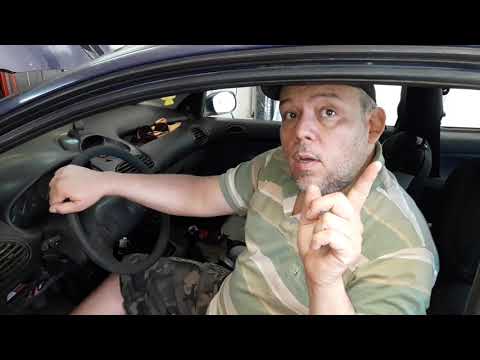
In this video, we see the method of reading the PIN of the BSI of a Peugeot car using the Delphi programming system. The PIN is a fundamental alphanumeric code for the electronic management of our car: it is like a password that protects various functions of our car. It connects and synchronizes all the various electronic components, allows us to customize some functions of the car, and is necessary for carrying out in-depth diagnostics of the car, solving any problems. From our laptop, we click on the Peugeot symbol, then on UDS SYSTEM, and then on the "identification" icon from here we click on the "key learning" icon and from there on "auto detect". The system will automatically generate the alphanumeric code that interests us.
Posted on 24 May 2025 by ScegliAuto
Video tutorial
Related tutorials
Peugeot Peugeot Various
The BSI control unit installed on board Peugeot vehicles can be reset by connecting a diagnostic tool to the OBD port located on the dashboard just b…

Peugeot Peugeot Various
In this video, we can see how to read the BSI of PSA Continental SC667050 vehicles in the first image with a functioning key, where the microcontroll…
Peugeot Peugeot Various
The BSI unit centralises and processes information from three networks: - CAN HS network: "High-speed line" which includes all ECUs present in the en…
Other guides you may be interested in
|
Fuses Location and Diagram for the Volkswagen Crafter
In this guide, we will look at the location of the fuse boxes and how to find their diagram for the Volkswagen Crafter. First, get inside the vehicle and start by removing the plastic cover found under the steering wheel, to access the internal fuse box; you will find another fuse box in the engine compartment by removing the plastic cover located next to the battery. At this point, use the owner's manual to find the fuse diagram, which will allow you to identify and replace any blown fuses with new ones! by ScegliAuto More videos
|
|
For advertising on this site Write to info@scegliauto.com
ScegliAuto is not responsible for any inaccuracy of the data in the lists. To report any inaccuracy or your business (if you own the business in question), please write to info@scegliauto.com
Number of seconds to generate the page: 0.132
(c) ScegliAuto 2026 - info@scegliauto.com - Privacy policy VAT number: IT01247470535 |
