
|
Do it yourself
| |||
| ||||


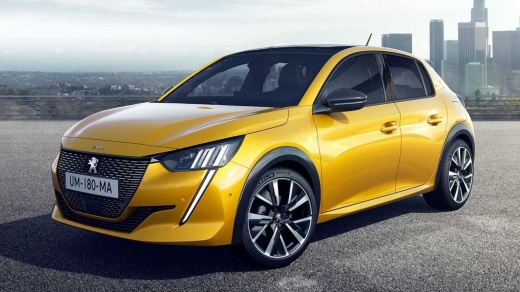
How does parking assistance work on the Peugeot 208?
Model: Peugeot 208
UP, UW, UB, UJ, MK 2
- Years:
2019, 2020, 2021, 2022, 2023, 2024, 2025, 2026
Video tutorial
In this video, we see how parking assistance works on the Peugeot 208: the radar button is located on the left side of the steering wheel, next to the "Eco" button. At this point, on the multimedia screen, we can choose between longitudinal parking or perpendicular parking. We then select the desired slot and proceed, activating the turn signal on the side where we want to park, maintaining a speed below 20 km/h. When the car has identified the parking spot, it alerts me with a beep. I engage reverse gear and let go of the steering wheel, and the car will automatically park itself.
Posted on 31 May 2025 by ScegliAuto
Related tutorials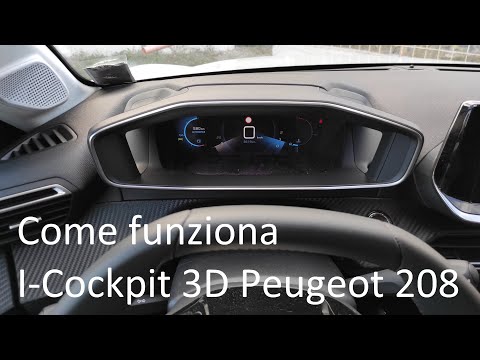
Peugeot 208
(2019-2026 /
UP, UW, UB, UJ, MK 2)
How does the I-Cockpit in the Peugeot 208 work? We see it in this video. It appears to have two displays, giving the impression of being in three dim…

Peugeot 208
(2012-2019 /
MK 1, A9)
To replace the front headlamp bulb on a Peugeot 208, open the bonnet to locate the internal cover panel of the headlamp unit. Once this panel is remo…

Peugeot 208
(2012-2019 /
MK 1, A9)
Today, you will learn how to turn off the onboard computer screen on a Peugeot 208 to save the vehicle's battery. To perform this operation, press th…
Other guides you may be interested in
|
How to reset the tyre pressure warning light on the Kia Niro EV?
To reset the tyre pressure warning light on the Kia Niro EV, inflate the tyres until they reach the correct pressure value. This value is indicated on the sticker attached to the driver's door pillar. Once the tyres are inflated, turn on the instrument cluster to check that the warning light has completely disappeared from the display. If it is still present, you may need to drive for a few miles to ensure it disappears completely from the screen. by ScegliAuto More videos
|
|
For advertising on this site Write to info@scegliauto.com
ScegliAuto is not responsible for any inaccuracy of the data in the lists. To report any inaccuracy or your business (if you own the business in question), please write to info@scegliauto.com
Number of seconds to generate the page: 0.026
(c) ScegliAuto 2026 - info@scegliauto.com - Privacy policy VAT number: IT01247470535 |
