
|
Do it yourself
| |||
| ||||


How to change the battery of the remote control for the Peugeot 208 2012.
Model: Peugeot 208
A9, MK 1
- Years 2012-2019
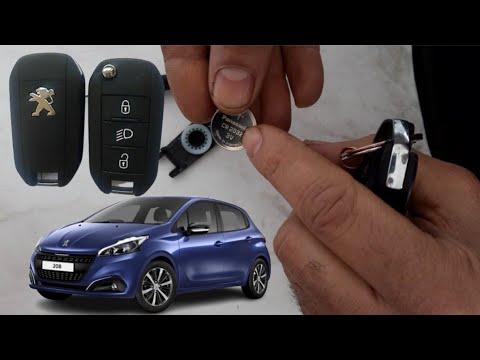
If you own a first edition Peugeot 208 (year 2012) and want to learn how to replace the battery located inside the car key remote, then all you have to do is carefully read the following steps and then put them into practice. First, take a flathead screwdriver and remove the back cover for protection, then remove the old battery and replace it with a new CR2032 battery. Once you have done this, you can reassemble the back cover of the remote and the procedure is successfully completed.
Posted on 29 June 2025 by ScegliAuto
Video tutorial
Related tutorials
Peugeot 208
(2019-2026 /
UB, UJ, UP, MK 2, UW)
Today, we will explain how to replace the battery for the 2025 Peugeot 208 key. To replace the battery, first purchase a CR 2032 battery. Insert a fl…

Peugeot 208
(2012-2019 /
A9, MK 1)
To replace the battery of the Peugeot 208 remote control, you will need to use an object to pry open the bottom back of the device: by doing so, you …
Peugeot 208
(2012-2019 /
A9, MK 1)
Today, let's discover the guide and steps on how to disassemble and replace the battery in the key fob of the Peugeot 208, following the instructions…
Other guides you may be interested in
|
Where is the Spare Wheel in the Peugeot 5008?
This video shows where the spare wheel is located in the Peugeot 5008 and how to access it, useful in case of a puncture. As shown, the wheel is not in the usual boot compartment but underneath it, outside the vehicle. To free the wheel, first gather the tools provided, then open the boot, locate the small indicated hatch, and open it. Next, loosen the bolt just released using the large socket wrench enough to lower the wheel to the ground. by ScegliAuto More videos
|
|
For advertising on this site Write to info@scegliauto.com
ScegliAuto is not responsible for any inaccuracy of the data in the lists. To report any inaccuracy or your business (if you own the business in question), please write to info@scegliauto.com
Number of seconds to generate the page: 0.178
(c) ScegliAuto 2026 - info@scegliauto.com - Privacy policy VAT number: IT01247470535 |
