
|
Do it yourself
| |||
| ||||


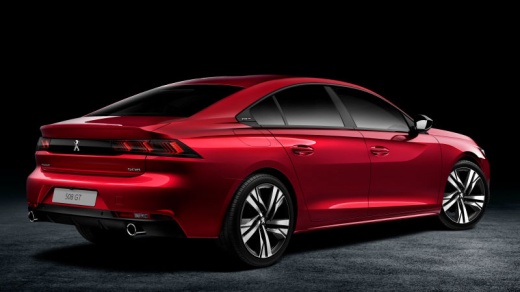
How to use the Infotainment system in a Peugeot 508 Station Wagon?
Model: Peugeot 508
MK 2
- Years:
2018, 2019, 2020, 2021, 2022, 2023, 2024, 2025, 2026
This video is currently unavailable
If you are curious, I can tell you that the infotainment system of the Peugeot 508 Station Wagon is designed to be intuitive and easy to use. First of all, turn on the car and the central display will automatically activate. You will find a touchscreen interface that allows you to navigate between different functions: from the radio, to media, to the navigation system. You can connect your smartphone via Bluetooth or USB to listen to your favorite music or use apps like Spotify or Google Maps. Furthermore, the system supports Apple CarPlay and Android Auto, allowing you to fully integrate your device. You can also customize the car settings, such as climate control, directly from the display. For more specific adjustments, you can use the physical buttons below the display, which will help you navigate without getting too distracted from driving.
Posted on 9 October 2025 by ScegliAuto
Related tutorials
Peugeot 508
(2010-2018 /
MK 1)
This video shows the location of the fuse box for the Peugeot 508 and the corresponding fuse assignments. This video is suitable for both the 508 sal…

Peugeot 508
(2010-2018 /
MK 1)
If you own a Peugeot 508 first generation (2010-2018) and want to learn how to manually change the system time displayed on the central infotainment …

Peugeot 508
(2010-2018 /
MK 1)
To reset the infotainment system of the Peugeot 508, turn on the instrument panel by inserting the ignition key into the corresponding slot: once the…
Other guides you may be interested in |
How to reset the tyre pressure warning light on the Kia Niro EV?
To reset the tyre pressure warning light on the Kia Niro EV, inflate the tyres until they reach the correct pressure value. This value is indicated on the sticker attached to the driver's door pillar. Once the tyres are inflated, turn on the instrument cluster to check that the warning light has completely disappeared from the display. If it is still present, you may need to drive for a few miles to ensure it disappears completely from the screen. by ScegliAuto More videos
|
|
For advertising on this site Write to info@scegliauto.com
ScegliAuto is not responsible for any inaccuracy of the data in the lists. To report any inaccuracy or your business (if you own the business in question), please write to info@scegliauto.com
Number of seconds to generate the page: 0.009
(c) ScegliAuto 2026 - info@scegliauto.com - Privacy policy VAT number: IT01247470535 |
