
|
Do it yourself
| |||
| ||||


Peugeot 508 - Onboard computerOnboard Computer Peugeot 508 (2018-2026 / mk 2) Peugeot 508 (2018-2026 / MK 2)
How to Activate and Deactivate Lane Assist on a Peugeot 508 Let's see how to activate and deactivate the lane assist system on a Peugeot 508: first, you need to know that it works in conjunction with adaptive cruise …Read all… Posted on 21 April 2026 by ScegliAuto  Peugeot 508 (2018-2026 / MK 2)
Why should we disable ECO mode on a Peugeot 508? The procedure to deactivate Eco mode on the Peugeot 508 is very simple: we turn on the ignition, open the glove compartment, press the "eco" button, and the …Read all… Posted on 23 January 2026 by ScegliAuto  Peugeot 508 (2018-2026 / MK 2)
How to change the calculation criteria in the navigation path on the Peugeot 508. In this video, we will see how to modify the route calculation criteria on the Peugeot 508's navigation system. Let's go to the multimedia screen, set the …Read all… Posted on 16 December 2025 by ScegliAuto  Peugeot 508 (2018-2026 / MK 2)
How to use the Infotainment system in a Peugeot 508 Station Wagon? If you are curious, I can tell you that the infotainment system of the Peugeot 508 Station Wagon is designed to be intuitive and easy to use. First of all, …Read all… Posted on 9 October 2025 by ScegliAuto  Peugeot 508 (2018-2026 / MK 2)
How to find and manage profile settings on a Peugeot 508 MK2 In this video, we see how to set up and manage the information of the various profiles on a Peugeot 508 MK2: in fact, on this car it is possible to manage up …Read all… Posted on 5 November 2024 by ScegliAuto  Peugeot 508 (2018-2026 / MK 2)
How to deactivate the "Eco" mode on a Peugeot 508? Good morning, today's goal is to permanently deactivate the "Eco" mode on our Peugeot 508. Let's start by turning on the vehicle, pressing the ignition button …Read all… Posted on 19 October 2024 by ScegliAuto  Peugeot 508 (2018-2026 / MK 2)
How to restart the screen of a Peugeot 508 Thanks to this very useful video guide today, we can see how to perform a forced restart of the onboard computer of a Peugeot 508, second-generation model …Read all… Posted on 14 September 2024 by ScegliAuto 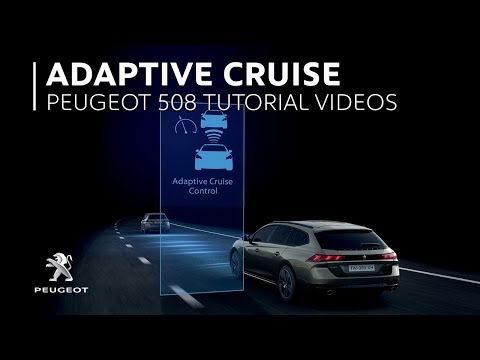 Peugeot 508 (2018-2026 / MK 2)
How Adaptive Cruise Control Works on the Peugeot 508 This video explains how adaptive cruise control with stop & go function works on the Peugeot 508. It automatically adjusts to the speed of the vehicle in …Read all… Posted on 14 August 2026 by ScegliAuto Cigarette lighter (2) Alternator (1) Car stereo (6) Battery (10) Transmission (7) Key (12) Timing belt (1) Air conditioner (1) Onboard computer (8) Checks and maintenance (29) Dashboard (1) Brake rotors (1) Rear bench seat (1) Side marker light (1) Headlight (4) Tail light (2) Fog lights (2) Diesel particulate filter (1) Air filter (4) Cabin air filter (6) Diesel fuel filter (3) Parking brake (3) Accessory kit (2) Light bulb (1) Headlight bulb (9) Tail light bulb (1) (1) Handle (4) Power window motor (2) Transmission fluid (1) Clock (9) Door trim panel (14) Front bumper (2) Rear bumper (3) Brake pads (3) Tires (1) Shift knob (2) Fuel pump (1) Car door (2) Power window switch (1) Instrument cluster (2) Radiator (3) Heater core (1) Wheel (1) Fuse box (19) Seat (2) Parking sensors (1) Side mirror (6) AdBlue warning light (11) Warning light – error code (16) (7) Tire pressure warning light (5) Service warning light (63) Fuel cap (2) Thermostat (1) Valve (1) Blower motor (2) |
How to Connect the Cables to the Battery of the Citroen Xsara Picasso?
In this tutorial, you will see how to connect the cables to the battery of the Citroen Xsara Picasso, useful if you need to recharge it or perform an emergency start. First, ensure the key is not inserted, then open the bonnet and move to the front of the left headlamp. Next, locate the bolt just behind the filter box and connect the positive terminal clamp to it. Now you can connect the negative terminal to any point on the chassis, such as the indicated point. Once the operation is complete, ensure you disconnect the negative first and then the positive. by ScegliAuto More videos
|
|
For advertising on this site Write to info@scegliauto.com
ScegliAuto is not responsible for any inaccuracy of the data in the lists. To report any inaccuracy or your business (if you own the business in question), please write to info@scegliauto.com
Number of seconds to generate the page: 0.007
(c) ScegliAuto 2026 - info@scegliauto.com - Privacy policy VAT number: IT01247470535 |
