
|
Do it yourself
| |||
| ||||


What is the correct procedure to follow to reset the BSI module of the Peugeot 207?
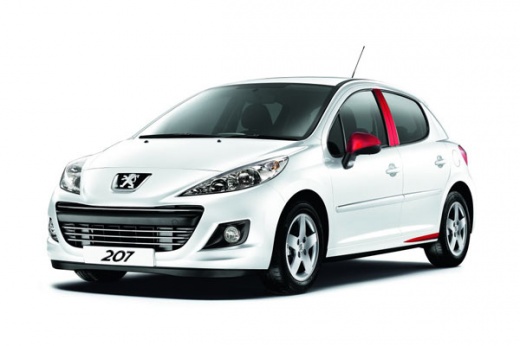
Model: Peugeot 207
MK 1
- Years 2006-2015
The Bsi module of the Peugeot 207 is nothing more than the main control unit of the vehicle, responsible for managing all the electrical and electronic utilities present in the car, from the window controls to the engine start and so on. It could happen to come across a malfunction, something minor and sporadic, but still affecting the functioning of the vehicle, so it is not to be excluded a reset attempt. To do this, a simple, effective and one of the most common methods to implement is certainly disconnecting the battery cables for a few seconds and then reconnecting them.
Posted on 23 October 2025 by ScegliAuto
Video tutorial
Related tutorials
Peugeot 207
(2006-2015 /
MK 1)
Below are the instructions to perform a forced reset of the ECU or BSI module on a Peugeot 207. To carry out a forced reset on the BSI module, you ne…

Peugeot 207
(2006-2015 /
MK 1)
In order to reset the BSI unit on the Peugeot 207, you need to connect a diagnostic tool to the vehicle's OBD port. Once this connection is establish…

Peugeot 207
(2006-2015 /
MK 1)
In order to reset the BSI unit of the Peugeot 207, it is necessary to connect a diagnostic tool to the OBD port of the vehicle: this port can be foun…
Other guides you may be interested in
|
How to Reset the Tyre Pressure Light on the Opel Grandland X
While driving, if you notice the tyre pressure warning light coming on, first check the actual inflation pressure of the tyres and, if necessary, restore the pressures recommended by the manufacturer. After restoring the correct pressures, you need to reset the warning light that has illuminated on the instrument cluster. To do this, locate the reset button on the lower central console. Press this button and hold it down for at least 3 seconds, after which the low pressure indication will turn off. by ScegliAuto More videos
|
|
For advertising on this site Write to info@scegliauto.com
ScegliAuto is not responsible for any inaccuracy of the data in the lists. To report any inaccuracy or your business (if you own the business in question), please write to info@scegliauto.com
Number of seconds to generate the page: 0.103
(c) ScegliAuto 2026 - info@scegliauto.com - Privacy policy VAT number: IT01247470535 |
