
|
Do it yourself
| |||
| ||||


How to deactivate the Start & Stop on the Peugeot 408
Model: Peugeot 408
P54
- Years 2022-2026
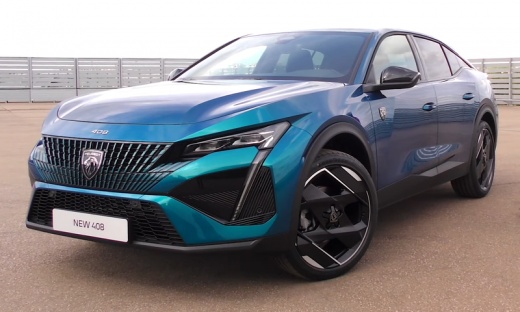
Let's see how to deactivate the Start & Stop function on the Peugeot 408, so that the function remains deactivated even at the next start of the vehicle. In this case, the driver also wants to deactivate the lane keeping assist function. We go to the control panel located below the multimedia screen, and press the button that depicts a car; then on the right side of the screen, we highlight the word "functions", and on the left side, various submenus for driver assistance will open. In this case, the driver has chosen the lane keeping assist warning and the start/stop function, by checking them. The screen shows that they are active, and with the previously used button, we deactivate both of them, and that's it.
Posted on 12 November 2025 by ScegliAuto
Video tutorial
Related tutorials
Peugeot 408
(2022-2026 /
P54)
The selected video shows how to reset the service light on a Peugeot 408. With the vehicle stationary and doors closed, locate the trip button on the…

Peugeot 408
(2010-2014 /
T7)
In order to replace the gear knob of the Peugeot 408, you will need to grab the old knob and rotate it counterclockwise so that it can be released fr…

Peugeot 408
(2010-2014 /
T7)
To replace the headlight bulb of the Peugeot 408, you need to open the hood so that you can access the inside of the headlight assembly: here you can…
Other guides you may be interested in |
Fuses Location and Diagram for the Volkswagen Crafter
In this guide, we will look at the location of the fuse boxes and how to find their diagram for the Volkswagen Crafter. First, get inside the vehicle and start by removing the plastic cover found under the steering wheel, to access the internal fuse box; you will find another fuse box in the engine compartment by removing the plastic cover located next to the battery. At this point, use the owner's manual to find the fuse diagram, which will allow you to identify and replace any blown fuses with new ones! by ScegliAuto More videos
|
|
For advertising on this site Write to info@scegliauto.com
ScegliAuto is not responsible for any inaccuracy of the data in the lists. To report any inaccuracy or your business (if you own the business in question), please write to info@scegliauto.com
Number of seconds to generate the page: 0.068
(c) ScegliAuto 2026 - info@scegliauto.com - Privacy policy VAT number: IT01247470535 |
