
|
Do it yourself
| |||
| ||||


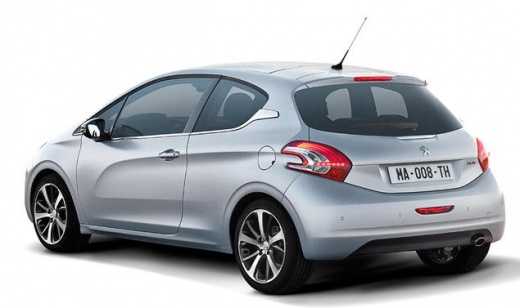
How do you disassemble the key of the Peugeot 208?
Model: Peugeot 208
MK 1, A9
- Years:
2012, 2013, 2014, 2015, 2016, 2017, 2018, 2019
Video tutorial
We emphasize, before describing the work, that the video guide available below is intended for keys of various vehicles from the brands Peugeot, Citroen, and Opel, as they are structurally very compatible. Let's begin: we pry open the back side of the key shell using a flathead screwdriver, then we open it, remove the flat battery marked CR 2032, unscrew the two visible screws, and at this point, applying slight force, we fully open both halves of the shell and access the internal circuit. Done, we have practically disassembled the entire structure of the key piece by piece.
Posted on 3 January 2026 by ScegliAuto
Related tutorials
Peugeot 208
(2019-2026 /
UP, UW, UB, UJ, MK 2)
The front grille and not only, is among the body components treated in this video guide, in which we will see how to assemble a series of pieces belo…

Peugeot 208
(2019-2026 /
UP, UW, UB, UJ, MK 2)
The video that we can observe here explains in detail the classic procedure for replacing a flat tire on a car, specifying that in this case we are t…

Peugeot 208
(2012-2019 /
MK 1, A9)
Let's do it yourself for replacing the battery in the key/remote of the Peugeot 208, a common task for other models from the same manufacturer. To ac…
Other guides you may be interested in
|
How to open the bonnet on a Volkswagen Golf?
In this tutorial, you will see how to open the bonnet on a Volkswagen Golf MK4. This is a very simple operation that follows the standard procedure. First, open the driver's door, then locate the lever in the lower left area and pull it. Next, move to the front of the vehicle, lift the bonnet slightly, and find the second lever located just above the Volkswagen logo. At this point, simply pull it towards you, fully open the bonnet, and secure it with the prop rod. To close it, gently push it down. by ScegliAuto More videos
|
|
For advertising on this site Write to info@scegliauto.com
ScegliAuto is not responsible for any inaccuracy of the data in the lists. To report any inaccuracy or your business (if you own the business in question), please write to info@scegliauto.com
Number of seconds to generate the page: 0.126
(c) ScegliAuto 2026 - info@scegliauto.com - Privacy policy VAT number: IT01247470535 |
