
|
Do it yourself
| |||
| ||||


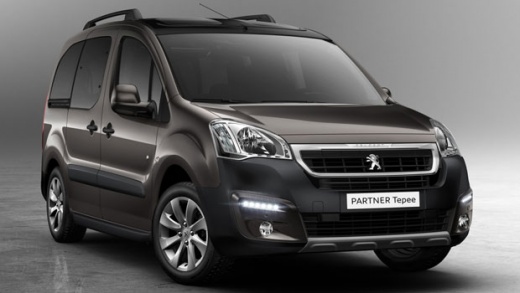
How to Replace the Battery of the Peugeot Partner?
Model: Peugeot Partner Tepee
B9
- Years:
2008, 2009, 2010, 2011, 2012, 2013, 2014, 2015, 2016, 2017, 2018
Video tutorial
This is probably the most well-known DIY activity, that of replacing the 12-volt battery that powers our vehicle, for example, the Peugeot Partner. Here’s how to do it: open the bonnet, locate the aforementioned battery, which is on the driver's side, disconnect the black cable first, the negative terminal, then the red one, the positive terminal. You are ready to remove the battery from its location, thus making space for the installation of the new one, remembering that the cables should be connected in reverse order from what was just mentioned, first the positive terminal and then the negative.
Posted on 8 February 2026 by ScegliAuto
Related tutorials
Peugeot Partner Tepee
(2008-2018 /
B9)
To replace the battery in a Peugeot Partner, open the bonnet to access the battery located on the right side of the engine bay, just below the windsc…

Peugeot Partner Tepee
(2008-2018 /
B9)
These simple steps will allow you to remove and replace the 12V battery of the Peugeot Partner Tepee. First, open the bonnet of the vehicle and disco…

Peugeot Partner Tepee
(2008-2018 /
B9)
In this video, we can see where the battery is located in the Peugeot Partner and how to proceed if we need to replace it, a very simple operation. A…
Other guides you may be interested in
|
How to reset the tyre pressure warning light on the Kia Niro EV?
To reset the tyre pressure warning light on the Kia Niro EV, inflate the tyres until they reach the correct pressure value. This value is indicated on the sticker attached to the driver's door pillar. Once the tyres are inflated, turn on the instrument cluster to check that the warning light has completely disappeared from the display. If it is still present, you may need to drive for a few miles to ensure it disappears completely from the screen. by ScegliAuto More videos
|
|
For advertising on this site Write to info@scegliauto.com
ScegliAuto is not responsible for any inaccuracy of the data in the lists. To report any inaccuracy or your business (if you own the business in question), please write to info@scegliauto.com
Number of seconds to generate the page: 0.046
(c) ScegliAuto 2026 - info@scegliauto.com - Privacy policy VAT number: IT01247470535 |
