
|
Do it yourself
| |||
| ||||


Where to Find the Fuse Diagram in PDF Format?
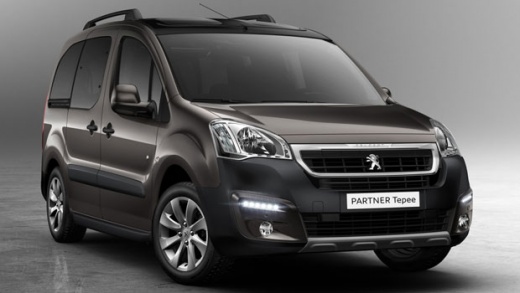
Model: Peugeot Partner Tepee
B9
- Years 2008-2018
Like all documents in PDF format, the fuse diagram for the Peugeot Partner is available online on various sites, including the official dealership website, automotive specialist sites, and forums for owners and enthusiasts of this vehicle model. It is easy to understand what this diagram is for: to identify each individual fuse in the fuse boxes and know what each one protects from overloads or short circuits, such as the radio, central locking, instrument cluster, and so on. One last note, the aforementioned fuse boxes are installed in the engine compartment, one under the bonnet and the other under the steering wheel.
Posted on 26 February 2026 by ScegliAuto
Video tutorial
Related tutorials
Peugeot Partner Tepee
(2018-2026 /
MK 3)
When discussing the fuse diagram, we cannot overlook the fuse box itself. It is the main component, housing all the aforementioned fuses, and the dia…

Peugeot Partner Tepee
(2008-2018 /
B9)
This guide will show us the information related to the positioning and the fuse box layout of the Peugeot Partner Tepee. First, we open the hood of t…

Peugeot Partner Tepee
(2008-2018 /
B9)
These short and simple steps will show us the layout and positioning of the external fuse box of the Peugeot Partner Tepee. First, we open the vehicl…
Other guides you may be interested in
|
How to reset the tyre pressure warning light on the Dacia Sandero?
To reset the tyre pressure warning light on the Dacia Sandero, inflate all the tyres to the pressure indicated on the label on the driver's door. Once the tyres are inflated, turn on the ignition and navigate through the menu using the controls on the right side of the steering wheel. Scroll with the arrows to find the tyre pressure option: by holding down the OK button located on the right side of the steering wheel, you can reset the warning light. by ScegliAuto More videos
|
|
For advertising on this site Write to info@scegliauto.com
ScegliAuto is not responsible for any inaccuracy of the data in the lists. To report any inaccuracy or your business (if you own the business in question), please write to info@scegliauto.com
Number of seconds to generate the page: 0.191
(c) ScegliAuto 2026 - info@scegliauto.com - Privacy policy VAT number: IT01247470535 |
