
|
Do it yourself
| |||
| ||||


How to Disable Lane Keeping Assist on the Peugeot 2008?
Model: Peugeot 2008
MK 2
- Years 2019-2026
The options available in modern vehicles are now numerous, both regarding safety and entertainment, aesthetics, etc. Among the most important is certainly the lane keeping assist, which automatically intervenes if you cross the lane boundary, promptly correcting the steering and alerting the driver with an audible signal. If desired, this function can be disabled; here’s how: on the touchscreen display of the dashboard, select Application Drawers, then Adas, Lane Keeping Assist, Confirm. The same procedure applies for reactivation.
Posted on 11 June 2026 by ScegliAuto
Video tutorial
Related tutorials
Peugeot 2008
(2019-2026 /
MK 2)
In this video, we see how the lane keeping system works on a Peugeot 2008: we press the button with the car icon on the central console (under the sc…

Peugeot 2008
(2019-2026 /
MK 2)
This brief guide will show us how to activate and deactivate the lane assist system or lane keeping assist on the Peugeot 2008. First of all, we get …

Peugeot 2008
(2019-2026 /
MK 2)
In the video, we see a second-generation Peugeot 2008, the one with the 3D "i-Cockpit" dashboard and the small steering wheel. The button to activate…
Other guides you may be interested in
|
Frequently Asked QuestionsHow to Remove the Front Bumper of the Citroën C4 Picasso?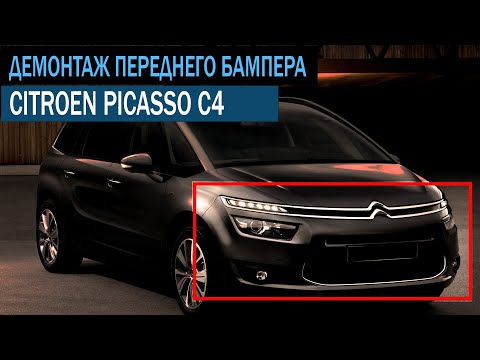
To remove the front bumper of the Citroën C4 Picasso, you need to take out all the rivets and screws that secure the piece to its housing: these screws are located inside the wheel arches of the front wheels and at the central upper part of the bumper itself. Once all these fastening elements have been removed, you can detach the bumper from its seat by disconnecting the connectors inside and then insert the new replacement part. The new part can then be secured and connected properly, ensuring it is correctly fixed in place. by ScegliAuto More videos
|

|
For advertising on this site Write to info@scegliauto.com
ScegliAuto is not responsible for any inaccuracy of the data in the lists. To report any inaccuracy or your business (if you own the business in question), please write to info@scegliauto.com
Number of seconds to generate the page: 0.387
(c) ScegliAuto 2026 - info@scegliauto.com - Privacy policy VAT number: IT01247470535 |
