
|
Do it yourself
| |||
| ||||


How to reset the Service light on the Peugeot 3008?
Model: Peugeot 3008
MK 2, P84
- Years 2016-2023
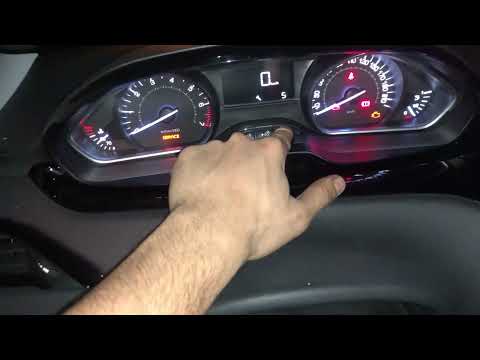
To reset the Service light on the Peugeot 3008, press and hold the button on the right side of the instrument panel with the spanner icon and the "0.0" display. While holding this button, insert the ignition key and turn it to the 'on' position: a countdown from ten will appear on the display, after which the light will be successfully reset. To verify the reset, turn off and then turn on the instrument panel.
Updated on 23 July 2026 by ScegliAuto
This video is currently unavailable
Related tutorials
Peugeot 3008
(2016-2023 /
MK 2, P84)
By holding down the button on the right side of the dashboard, it will be possible to make the Service light of the Peugeot 3008 with the icon of the…

Peugeot 3008
(2016-2023 /
MK 2, P84)
To reset the Service light on a Peugeot 3008, press and hold the button on the right side of the instrument cluster, which has the spanner icon and t…
Peugeot 3008
(2009-2016 /
T84, MK 1)
The service indicator of the Peugeot 3008 can be reset by holding down the button located on the right side of the instrument panel, with the icon of…
Other guides you may be interested in
|
How to Open the Bonnet of a Renault Megane if the Lever is Broken?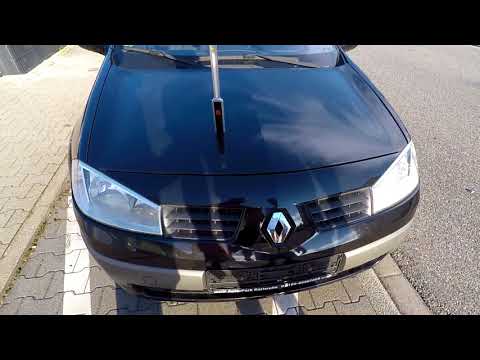
If the lever that unlocks the bonnet of the Renault Megane is broken or not functioning, there is an emergency procedure to unlock the mechanism: remove the right front grille located at the top of the bumper. Once the grille is removed, you can locate the actuator mechanism: by pulling the spring in this position, you can unlock the actuator, allowing you to lift the bonnet and access the components located inside the engine compartment. You can then close the bonnet simply by lowering it. by ScegliAuto More videos
|
|
For advertising on this site Write to info@scegliauto.com
ScegliAuto is not responsible for any inaccuracy of the data in the lists. To report any inaccuracy or your business (if you own the business in question), please write to info@scegliauto.com
Number of seconds to generate the page: 0.731
(c) ScegliAuto 2026 - info@scegliauto.com - Privacy policy VAT number: IT01247470535 |
