
|
Do it yourself
| |||
| ||||


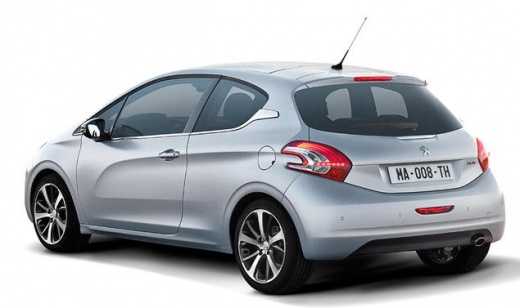
How to Disable the ECO Mode on the Peugeot 208?
Model: Peugeot 208
MK 1, A9
- Years:
2012, 2013, 2014, 2015, 2016, 2017, 2018, 2019
Video tutorial
To disable the ECO mode on the Peugeot 208, there is no procedure that needs to be performed via the central display on the dashboard: you must open the bonnet to access the engine compartment. Open the fuse box located next to the battery, near the left front headlamp. Once the box is open, disconnect the connector at the top shown in the video and leave it disconnected for a moment. After this interval, reconnect it, and you will find that the ECO mode is disabled.
Updated on 11 October 2026 by ScegliAuto
Related tutorials
Peugeot 208
(2012-2019 /
MK 1, A9)
Today's instructions will show us how to activate and deactivate the eco mode on the Peugeot 208. The eco mode actually activates from the first star…

Peugeot 208
(2012-2019 /
MK 1, A9)
Today, you will learn how to turn off the onboard computer screen on a Peugeot 208 to save the vehicle's battery. To perform this operation, press th…

Peugeot 208
(2019-2026 /
UP, UW, UB, UJ, MK 2)
In this video, we see how parking assistance works on the Peugeot 208: the radar button is located on the left side of the steering wheel, next to th…
Other guides you may be interested in
|
Frequently Asked QuestionsHow to Set the Time on an Audi A6
Briefly, we will see the instructions to set the time on the Audi A6 by following these simple steps. First, get inside the vehicle and turn on the instrument cluster; then press the settings button and navigate to the time option to confirm your choice, as shown in the video. At this point, set the correct time and format, then exit the settings menu to save the changes made; finally, start the engine and ensure that the time has been set correctly! by ScegliAuto More videos
|
|
For advertising on this site Write to info@scegliauto.com
ScegliAuto is not responsible for any inaccuracy of the data in the lists. To report any inaccuracy or your business (if you own the business in question), please write to info@scegliauto.com
Number of seconds to generate the page: 0.163
(c) ScegliAuto 2026 - info@scegliauto.com - Privacy policy VAT number: IT01247470535 |
