
|
Do it yourself
| |||
| ||||


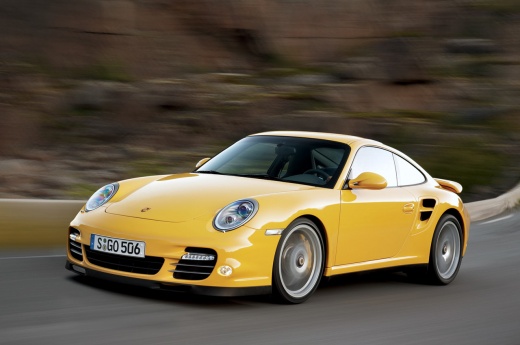
How to Remove the Rear Bumper on Porsche 991 Carrera (997)
Model: Porsche 911
997
- Years:
2005, 2006, 2007, 2008, 2009, 2010, 2011
Video tutorial
Today, follow these step-by-step instructions to remove the rear bumper on a Porsche 991 Carrera (997). First, open the rear hood of your car and start by removing the upper mounting screws and the rear lights using a screwdriver or Torx wrench; then disconnect the electrical connectors of the lights to remove them. Next, unscrew the lower screws located near the exhausts and the screws found on both sides of the wheel wells, using a Torx wrench; finally, gently detach the bumper, as shown in the video!
Updated on 14 April 2026 by ScegliAuto
Related tutorials
Porsche 911
(2011-2019 /
991)
To remove the rear bumper on a Porsche 911, loosen the screws located inside the wheel wells of the rear wheels, completely removing them. Then, proc…
Porsche 911
(2011-2019 /
991)
This guide shows how to remove the battery from a Porsche 911 Carrera 4S. Before replacing the battery, connect a power converter to the OBD port loc…
Porsche 911
(2005-2011 /
997)
To remove the front bumper of the Porsche 911, first remove the inner covers of the front wheel wells and the front headlights. Inside their housings…
Other guides you may be interested in
|
Where are the fuses located on the Renault Laguna?
On the Renault Laguna, the fuses are located inside the fuse boxes installed in the vehicle: in this car model, you will find two boxes for containing the fuses. The first is in the fuse box on the left side of the dashboard, accessible by opening the driver's door: here you will find the fuses for the windscreen wipers, fog lights, horn, etc. The second box is located on the right side of the engine compartment: here you will find the fuses for the dipped headlights, radiator fan, alternator, etc. by ScegliAuto More videos
|
|
For advertising on this site Write to info@scegliauto.com
ScegliAuto is not responsible for any inaccuracy of the data in the lists. To report any inaccuracy or your business (if you own the business in question), please write to info@scegliauto.com
Number of seconds to generate the page: 0.020
(c) ScegliAuto 2026 - info@scegliauto.com - Privacy policy VAT number: IT01247470535 |
