
|
Do it yourself
| |||
| ||||


How to replace the key battery of the Dodge RAM 1500
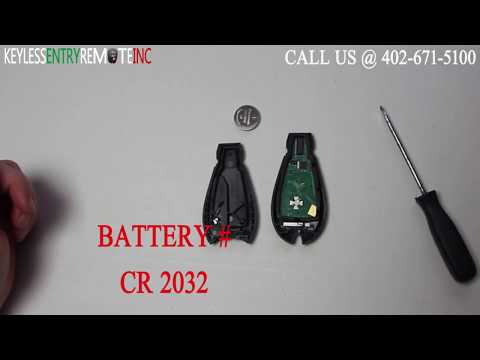
To correctly replace the button battery mounted inside the smart key of the Dodge RAM 1500 it only takes a few simple steps. You can complete the entire operation in total autonomy as long as you carefully follow the following instructions. The first thing to do is to remove the physical emergency key. To do this, press the side button and pull the key outwards. Then, with the help of a common flathead screwdriver, open the cover and proceed with the removal of the exhausted battery. Replace it with a new compatible model and finally close the cover. Put the key inside again and you are done.
Posted on 21 March 2022 by ScegliAuto
Video tutorial
Related tutorials
RAM 1500
(2009-2019 /
DS, DJ, MK 4)
In this short and simple guide we will see how to remove and replace the battery of the Dodge Ram 1500, fourth generation. First we open the engine h…
RAM 1500
(1994-2001 /
BE, BR, MK 2)
Let's replace the starter motor of the Dodge RAM 1500 together, following the instructions below. First of all we open the bonnet and we go to discon…
RAM 1500
(2009-2019 /
DS, DJ, MK 4)
In this video tutorial you can see how it is possible to replace the low battery in the remote control of the Dodge RAM 1500 key, following a few sim…
Other guides you may be interested in
|
How to Remove the Indicator Light from the External Mirror of a Jeep Renegade
How to remove the indicator light from the external mirror of a Jeep Renegade? Follow these steps: use a plastic or rubber lever to pry between the edge of the mirror frame and the mirror glass. Pry until the glass separates from the mirror; this is a delicate operation as the glass or the mirror itself may break. Once the mirror is removed, disconnect the power connector for the glass and press on the locking clips to detach the mirror cover. Remove the indicator from the mirror and replace the bulbs. by ScegliAuto More videos
|
|
For advertising on this site Write to info@scegliauto.com
ScegliAuto is not responsible for any inaccuracy of the data in the lists. To report any inaccuracy or your business (if you own the business in question), please write to info@scegliauto.com
Number of seconds to generate the page: 0.130
(c) ScegliAuto 2026 - info@scegliauto.com - Privacy policy VAT number: IT01247470535 |
