
|
Do it yourself
| |||
| ||||


How to replace the battery of the key for the RAM 1500.
If you want to replace the battery of the key for your RAM 1500 Mk4 (year 2009-2019) but don't know how to do it, don't worry because in the following guide you will find all the instructions you are looking for. First, locate the small button located on the back of the cover and hold it down. At the same time, pull up the metal part of the cover and remove the physical emergency key. At this point, take a flat screwdriver, insert it into the upper slot, and open the cover. Finally, remove the old battery and replace it with the new one.
Posted on 15 July 2023 by ScegliAuto
Video tutorial
Related tutorials
RAM 1500
(2019-2026 /
MK 5, DT)
If you have just purchased the new Ram 1500 and want to find out how to correctly replace the battery located inside the smart key, then all you have…
RAM 1500
(2019-2026 /
MK 5, DT)
In this new mini guide, we will discover together how to correctly replace the button battery in the key of your new RAM 1500. First of all, you need…
RAM 1500
(2019-2026 /
MK 5, DT)
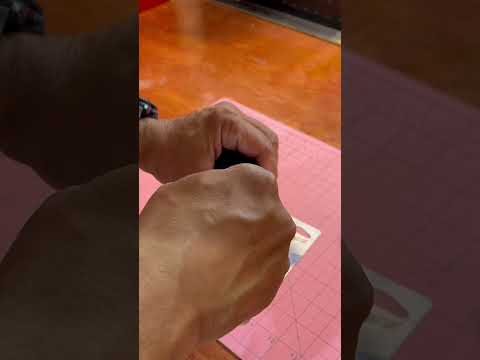
Thanks to the following mini guide dedicated to your RAM 1500 Mk5 (year 2019-2023), you can finally replace the battery inside the car key on your ow…
Other guides you may be interested in
|
How to Replace the Front Bumper on a BMW 3 Series
This simple operation will be illustrated in this short video guide. As the first step, raise the hood to access and remove the bolts securing the top of the bumper. Next, remove the bolts and clips that attach the inner fender to the rear of the bumper. This operation will need to be repeated on both sides. Also, remove the screws that secure the bottom of the bumper to the lower engine cover. Now, just pull the bumper away, being careful to disconnect the connectors at the back. by ScegliAuto More videos
|
|
For advertising on this site Write to info@scegliauto.com
ScegliAuto is not responsible for any inaccuracy of the data in the lists. To report any inaccuracy or your business (if you own the business in question), please write to info@scegliauto.com
Number of seconds to generate the page: 0.144
(c) ScegliAuto 2026 - info@scegliauto.com - Privacy policy VAT number: IT01247470535 |
