
|
Do it yourself
| |||
| ||||


How to replace the cabin fan in the RAM 1500 pickup?
Model: RAM 1500
MK 4, DJ, DS
- Years 2009-2019
In this tutorial, we can see how to replace the cabin fan in the RAM 1500 pickup, an extremely simple and quick operation. First of all, make sure that the key is not inserted, so that you can work safely, then open the passenger door and release the cover located under the glove compartment. Next, disconnect the power connector, unscrew the fan mounting screws, and remove it from the housing. At this point, all that remains is to insert the replacement and reassemble everything following the exact reverse procedure.
Posted on 28 April 2024 by ScegliAuto
Video tutorial
Related tutorials
RAM 1500
(2019-2026 /
MK 5, DT)
In this tutorial, we can see how to reset the onboard computer in the RAM 1500 pickup truck, an extremely simple and quick operation to be performed,…

RAM 1500
(2019-2026 /
MK 5, DT)
In this video we can see where the fuse boxes of the RAM 1500 pick-up are located and what are the respective diagrams, to consult in case we need to…
RAM 1500
(1994-2001 /
MK 2, BR, BE)
If one of the devices in our Dodge RAM 1500 pick-up truck has suddenly stopped working, the first thing we can do is check the status of the respecti…
Other guides you may be interested in
|
How to Replace the Alternator on an Opel Meriva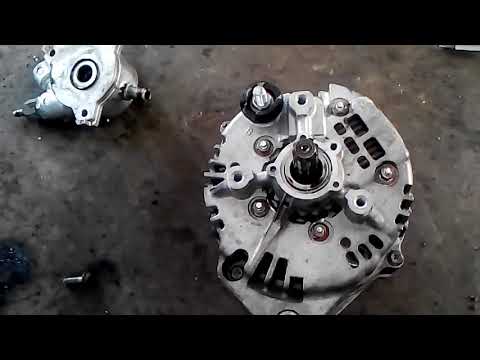
First, release the bonnet from the lever and lift it. Disconnect the battery to protect your electronic devices. Now locate the alternator position on your vehicle. Remove the belt by unscrewing the tensioner pulley to take it off. You can now remove the bolts securing the alternator. Working on the rear of the alternator, disconnect the cables and pipes attached at the back. This allows you to extract the alternator from your vehicle and carry out the necessary work. by ScegliAuto More videos
|
|
For advertising on this site Write to info@scegliauto.com
ScegliAuto is not responsible for any inaccuracy of the data in the lists. To report any inaccuracy or your business (if you own the business in question), please write to info@scegliauto.com
Number of seconds to generate the page: 0.091
(c) ScegliAuto 2026 - info@scegliauto.com - Privacy policy VAT number: IT01247470535 |
