
|
Do it yourself
| |||
| ||||


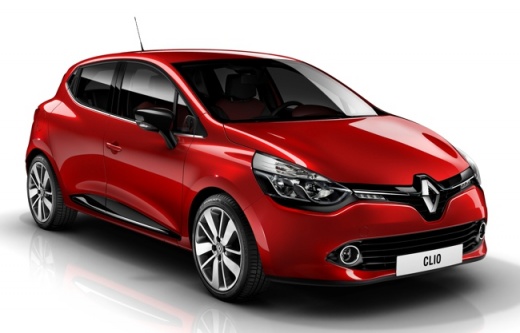
How to Reset the Tyre Pressure Warning Light on the Renault Clio - Captur
Model: Renault Clio
Clio IV, Clio 4, MK 4
- Years:
2012, 2013, 2014, 2015, 2016, 2017, 2018, 2019
Video tutorial
The tyre pressure warning light on the dashboard indicates a possible puncture or loss of pressure in one or more tyres. Here’s how to reset the TPMS sensors on the Renault Clio, as well as the Captur. Before resetting the warning, ensure all four tyres are at the correct operating pressure. Get in the car and turn on the ignition, scrolling through the onboard computer menu (using the arrow controls on the right stalk) until you reach the tyre pressure display, as shown in the video. Press and hold the up arrow button to reset the TPMS!
Updated on 28 October 2026 by ScegliAuto
Related tutorials
Renault Clio
(2019-2026 /
Clio V, Clio 5)
The activation of the tyre pressure warning light indicates an anomaly in the pressure of one or more tyres; before resetting the light on the Renaul…

Renault Clio
(2019-2026 /
Clio V, Clio 5)
Today, in this guide, we will see the steps and instructions that will allow us to reset the tyre pressure warning light on the Renault Clio; before …

Renault Clio
(2019-2026 /
Clio V, Clio 5)
In the following article, we will see how to reset the tire pressure warning light on the Renault Clio 5. This procedure is useful after adjusting th…
Other guides you may be interested in
|
How to Remove the Toll Tag Holder from the Car Windscreen
The toll tag holder is usually attached to the car windscreen to ensure that the toll tag functions immediately when passing through barriers. However, if you decide to remove the holder, you should follow this procedure: - Insert the toll tag into the holder; - Pull the holder inwards to detach it from the windscreen; you can use a glass scraper or a stiff plastic card to assist you; After removing the holder, it is essential to remove the adhesive from the windscreen. To remove the adhesive, we recommend using a solvent-based spray that will remove the glue without clouding the area. by ScegliAuto More videos
|
|
For advertising on this site Write to info@scegliauto.com
ScegliAuto is not responsible for any inaccuracy of the data in the lists. To report any inaccuracy or your business (if you own the business in question), please write to info@scegliauto.com
Number of seconds to generate the page: 0.043
(c) ScegliAuto 2026 - info@scegliauto.com - Privacy policy VAT number: IT01247470535 |
