
|
Do it yourself
| |||
| ||||


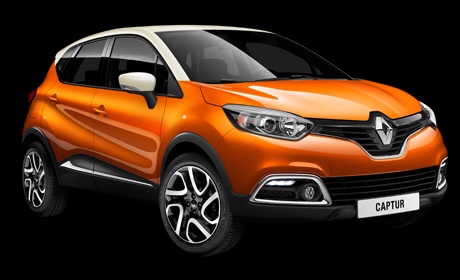
How to Reset Alerts in the Onboard Computer of the Renault Captur?
Model: Renault Captur
MK 1
- Years 2013-2019
Video tutorial
Detailed instructions - For the car reviewed in the video, like all other cars of the same production period, you can reset some alerts, whether periodic, like the maintenance light, or occasional, such as the engine oil level warning. Referring to the Service expiry, here’s how to turn it off: after turning on the instrument panel, access the Settings using the buttons on the right side of the steering wheel, selecting the Service option from the available choices, and finally authorising its deletion.
Posted on 15 April 2026 by ScegliAuto
Related tutorials
Renault Captur
(2019-2026 /
MK 2)
Today we will explain how to deactivate the speed limit sound on a Renault Captur vehicle. To perform this simple operation, we must turn on the inst…

Renault Captur
(2019-2026 /
MK 2)
In this guide, you will discover the instructions to activate and deactivate the sounds and alerts on the Renault Captur. First, get inside the vehic…

Renault Captur
(2013-2019 /
MK 1)
In order to reset the onboard computer of the Renault Captur, you will first need to turn on the instrument panel so that you can navigate through th…
Other guides you may be interested in
|
Frequently Asked QuestionsHow to set the clock on the Vespa 125 Primavera?
To set the clock on the Vespa 125 Primavera, press and hold the black button located just below the black knob on the bike: keep the button pressed until the hour number starts to flash. Once it is flashing, you can change the hours with single presses of the same button; then, by pressing and holding the button again, the hour number will stop flashing and the minute number will start to flash, which can be modified in the same way, confirming the input by holding the button. by ScegliAuto More videos
|
|
For advertising on this site Write to info@scegliauto.com
ScegliAuto is not responsible for any inaccuracy of the data in the lists. To report any inaccuracy or your business (if you own the business in question), please write to info@scegliauto.com
Number of seconds to generate the page: 0.311
(c) ScegliAuto 2026 - info@scegliauto.com - Privacy policy VAT number: IT01247470535 |
