
|
Do it yourself
| |||
| ||||


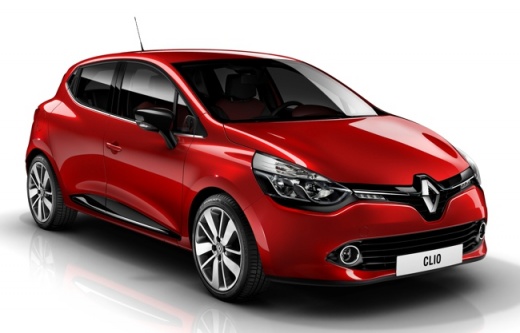
How to Disable the Tyre Pressure Sensor on Renault Clio 4
Model: Renault Clio
Clio IV, Clio 4, MK 4
- Years:
2012, 2013, 2014, 2015, 2016, 2017, 2018, 2019
Video tutorial
This guide explains how to reset the tyre warning light on a Renault Clio 4. This procedure also works for other models from the manufacturer. Enter the vehicle and turn on the instrument panel using the key or remote fob. Press the buttons located near the steering wheel to find the menu for tyre maintenance. Press the right button on the steering lever to confirm the service reset selection, choose the new service option, and confirm with the right buttons. The instrument panel will display the maintenance confirmation. Double-check everything and turn off the instrument panel.
Updated on 28 May 2026 by ScegliAuto
Related tutorials
Renault Clio
(2012-2019 /
Clio IV, Clio 4, MK 4)
For Renault Clio 4 owners, here is a very interesting video tutorial available on how to deactivate the tire pressure monitoring sensor. This is done…

Renault Clio
(2019-2026 /
Clio V, Clio 5)
Today we will see how to reset the tire pressure warning light (TPMS) of the Renault Clio; before performing the reset, it is necessary that all four…

Renault Clio
(2012-2019 /
Clio IV, Clio 4, MK 4)
The instructions in this guide will show you how to reset the tyre pressure warning light (TPMS) on the Renault Clio; before performing the reset, en…
Other guides you may be interested in
|
Frequently Asked QuestionsHow to Reset the Tyre Pressure Warning Light on the Jeep Renegade?
To reset the tyre pressure warning light on the Jeep Renegade, inflate the tyres until they reach the recommended pressure: this value is indicated on the sticker attached to the driver’s door pillar. Once the tyres are properly inflated, navigate through the menu that appears on the instrument cluster until you find the tyre pressure option. At this point, press and hold the OK button on the right side of the steering wheel to make the warning light disappear. by ScegliAuto More videos
|
|
For advertising on this site Write to info@scegliauto.com
ScegliAuto is not responsible for any inaccuracy of the data in the lists. To report any inaccuracy or your business (if you own the business in question), please write to info@scegliauto.com
Number of seconds to generate the page: 0.097
(c) ScegliAuto 2026 - info@scegliauto.com - Privacy policy VAT number: IT01247470535 |
