
|
Do it yourself
| |||
| ||||


How to Reset the Service Light on the Renault Trafic
Model: Renault Trafic
MK 3
- Years 2014-2026
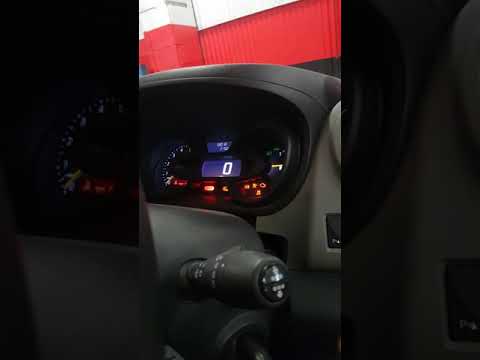
If you have replaced the engine oil on this vehicle in a DIY manner, you must then update and reset the service light that has illuminated on the instrument panel. To do this, follow the instructions in the video and the description provided below. After sitting in the driver's seat, turn on the ignition and use the controls at the end of the right multifunction lever to select the options in the onboard computer menu until you reach 'Service required'. Then, press and hold the command at the top until the service indicator starts to flash, after which it will update with the new date.
Updated on 28 May 2026 by ScegliAuto
Video tutorial
Related tutorials
Renault Trafic
(2014-2026 /
MK 3)
The instructions in this guide will allow you to reset the ordinary maintenance service light on a Renault Trafic. First, get in the vehicle and turn…
Renault Trafic
(2014-2026 /
MK 3)
Today, discover how to reset the service light for the regular maintenance oil change of the Renault Trafic. First, get inside the vehicle and turn o…

Renault Trafic
(2014-2026 /
MK 3)
On the instrument panel of the Renault Trafic, it will be possible to make the Service light disappear from the display by inserting the appropriate …
Other guides you may be interested in
|
How to Replace the Remote Battery for the Volvo XC40?
In this tutorial, you will see how to replace the battery in the remote for the Volvo XC40, a very simple and quick operation. For this, you will need a replacement battery of type CR2032 and possibly a small flathead screwdriver. First, remove the front cover by pressing the button on the metal ring, then locate the second button, press it as well, and remove the opposite cover. Next, open the circular cap, take out the old battery, and insert the new one in the opposite direction. Finally, reassemble everything. by ScegliAuto More videos
|
|
For advertising on this site Write to info@scegliauto.com
ScegliAuto is not responsible for any inaccuracy of the data in the lists. To report any inaccuracy or your business (if you own the business in question), please write to info@scegliauto.com
Number of seconds to generate the page: 0.548
(c) ScegliAuto 2026 - info@scegliauto.com - Privacy policy VAT number: IT01247470535 |
