
|
Do it yourself
| |||
| ||||


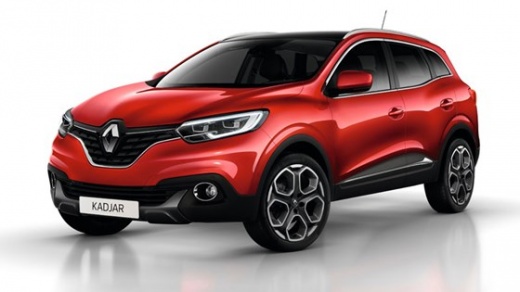
How to Connect a Phone via Bluetooth to a Renault Kadjar
Model: Renault Kadjar
MK 1
- Years:
2015, 2016, 2017, 2018, 2019, 2020, 2021, 2022
Video tutorial
To make calls safely using the multimedia system of the Renault Kadjar, you first need to establish a Bluetooth connection between the two devices. Ensure your smartphone is on and Bluetooth is activated. Sit in the driver's seat, tap the phone icon on the central dashboard display, and follow the prompts on both devices to establish the connection by confirming the access keys. Once connected, the system will synchronise your contacts, allowing you to make calls by pressing a button on the steering wheel.
Updated on 13 August 2026 by ScegliAuto
Related tutorials
Renault Kadjar
(2015-2022 /
MK 1)
Today we will explain how to connect the Bluetooth system in the car with the Bluetooth system of our mobile phone. In Renault Kadjar vehicles, to se…

Renault Kadjar
(2015-2022 /
MK 1)
Knowing the location of the OBD port inside your Renault Kadjar is very important if you want to connect a diagnostic tool to the car. First, enter t…

Renault Kadjar
(2015-2022 /
MK 1)
Let's see how to resolve the issue with the infotainment system not working on a Renault Kadjar: it presents these symptoms: frozen screen, no audio,…
Other guides you may be interested in
|
How to Open the Fuel Flap on a Volkswagen Tiguan?
To open the fuel flap on a Volkswagen Tiguan, first unlock the car using the appropriate button on the remote. This will open the car and unlock the mechanism that controls the fuel flap. At this point, apply light pressure to the left side of the flap to open it and access the cap underneath. Once this is unscrewed, you can refuel and then close everything. by ScegliAuto More videos
|
|
For advertising on this site Write to info@scegliauto.com
ScegliAuto is not responsible for any inaccuracy of the data in the lists. To report any inaccuracy or your business (if you own the business in question), please write to info@scegliauto.com
Number of seconds to generate the page: 0.110
(c) ScegliAuto 2026 - info@scegliauto.com - Privacy policy VAT number: IT01247470535 |
