
|
Do it yourself
| |||
| ||||


How to Reset the Service Light on a Renault Scenic?
Model: Renault Scenic
Scenic 3, MK 3, MK III, Scenic III
- Years 2009-2015
As shown in this tutorial, resetting the service light on a Renault Scenic is an extremely simple and quick task. Before proceeding, ensure that you have completed all required scheduled maintenance work. Start by entering the cabin, then insert the key and turn on the ignition. Next, scroll through the display screens using the directional arrows located at the end of the right stalk, reach the service section, and press the down arrow button once to enter the section, and a second time to complete the reset.
Updated on 26 August 2026 by ScegliAuto
Video tutorial
Related tutorials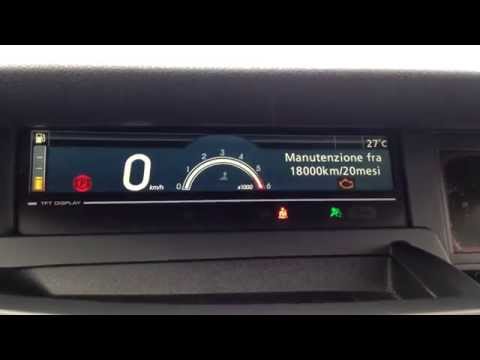
Renault Scenic
(2009-2015 /
Scenic 3, MK 3, MK III, Scenic III)
Before starting, ensure that the service has been completed, then sit in the driver's seat of your Renault Scenic. Begin by activating the instrument…
Renault Scenic
(2009-2015 /
Scenic 3, MK 3, MK III, Scenic III)
Before you can start, ensure that the service has been performed, then sit in the driver's seat of your Renault Scenic. Begin by activating the instr…
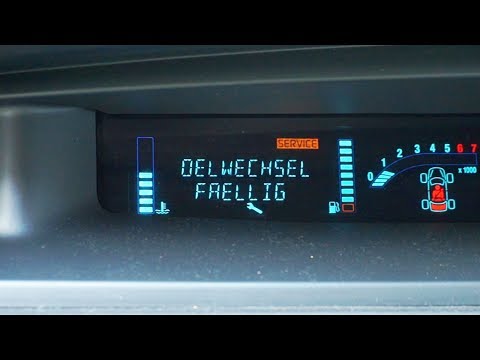
Renault Scenic
(2003-2009 /
MK 2, Scenic 2)
Before starting, sit in the driver's seat of your Renault Scenic. Activate the engine by turning the key in the ignition. Next, select the "Service" …
Other guides you may be interested in
|
How to Replace the Remote Battery for the Volvo XC40?
In this tutorial, you will see how to replace the battery in the remote for the Volvo XC40, a very simple and quick operation. For this, you will need a replacement battery of type CR2032 and possibly a small flathead screwdriver. First, remove the front cover by pressing the button on the metal ring, then locate the second button, press it as well, and remove the opposite cover. Next, open the circular cap, take out the old battery, and insert the new one in the opposite direction. Finally, reassemble everything. by ScegliAuto More videos
|
|
For advertising on this site Write to info@scegliauto.com
ScegliAuto is not responsible for any inaccuracy of the data in the lists. To report any inaccuracy or your business (if you own the business in question), please write to info@scegliauto.com
Number of seconds to generate the page: 0.307
(c) ScegliAuto 2026 - info@scegliauto.com - Privacy policy VAT number: IT01247470535 |
