
|
Do it yourself
| |||
| ||||


How to remove the rear lights on a Renault Trafic van?
Model: Renault Trafic
MK 2
- Years:
2001, 2002, 2003, 2004, 2005, 2006, 2007, 2008, 2009, 2010, 2011, 2012
Video tutorial
In this tutorial, you will see how to remove the rear lights on a Renault Trafic van, an extremely simple and quick operation, for example, if you need to replace the bulbs. First, ensure that the key is not inserted, then open the rear door, locate the two screws on the inner edge of the light unit, and unscrew them using a Torx T30 key. Next, grasp the light, pull it towards you, and separate it from the bodywork. At this point, you can disconnect the power connector and install the replacement if necessary.
Updated on 16 October 2026 by ScegliAuto
Related tutorials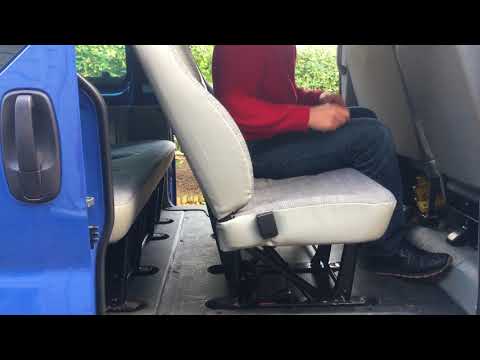
Renault Trafic
(2001-2014 /
MK 2)
Before you begin, open the side door of your Renault Trafic. Start by unfastening the lower side hooks that secure the rear seats to the floor. Then,…

Renault Trafic
(2001-2014 /
MK 2)
Today, we will go through the main instructions on how to remove and replace the rear doors of the Renault Trafic. First, open the rear doors and sta…

Renault Trafic
(2001-2014 /
MK 2)
Reaching the disassembly of the rear light of the Renault Trafic 2, like any other vehicle on the market, is related to various needs. It may need to…
Other guides you may be interested in
|
How to Remove the Toll Tag Holder from the Car Windscreen
The toll tag holder is usually attached to the car windscreen to ensure that the toll tag functions immediately when passing through barriers. However, if you decide to remove the holder, you should follow this procedure: - Insert the toll tag into the holder; - Pull the holder inwards to detach it from the windscreen; you can use a glass scraper or a stiff plastic card to assist you; After removing the holder, it is essential to remove the adhesive from the windscreen. To remove the adhesive, we recommend using a solvent-based spray that will remove the glue without clouding the area. by ScegliAuto More videos
|
|
For advertising on this site Write to info@scegliauto.com
ScegliAuto is not responsible for any inaccuracy of the data in the lists. To report any inaccuracy or your business (if you own the business in question), please write to info@scegliauto.com
Number of seconds to generate the page: 0.150
(c) ScegliAuto 2026 - info@scegliauto.com - Privacy policy VAT number: IT01247470535 |
