
|
Do it yourself
| |||
| ||||


How to Cover the Steering Wheel of a Renault/Samsung Sm5 (also Nissan Teana Cefiro)
Model: Samsung Sm5
A34r
- Years 2005-2010
If you want to do a really nice job on your Samsung Sm5 (also on the Nissan Teana Cefiro), you can buy a microfiber leather steering wheel cover for a reasonable price (Amazon $14.44) or genuine leather for $59.85 (AliExpress). Identify the top and bottom parts (and our video will help with this) and then, with a lot of goodwill and patience, sew it all around with the contrasting thread included in the package. As the video also mentions, there is no need to remove the steering wheel to do this job. You can do it easily right on the vehicle.
Updated on 5 June 2026 by ScegliAuto
Video tutorial
Related tutorials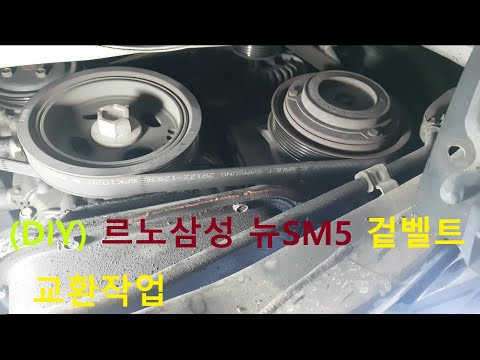
Samsung Sm5
(2005-2010 /
A34r)
This guide provides instructions on how to remove and replace the serpentine belt and the auxiliary belt on the Samsung SM5. First, raise the vehicle…
Samsung Sm5
(2005-2010 /
A34r)
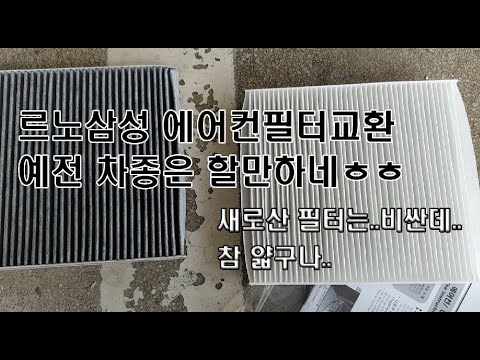
To replace the cabin filter in a Samsung SM5, open the glove compartment on the passenger side to access the screws securing it. Once the screws are …

Samsung Sm5
(2005-2010 /
A34r)
In this video tutorial, follow the main steps to remove and replace the battery of the Samsung Sm5. First, open the hood by pulling the lever inside,…
Other guides you may be interested in
|
Where is the Fuel Filter Located in a Volvo XC60?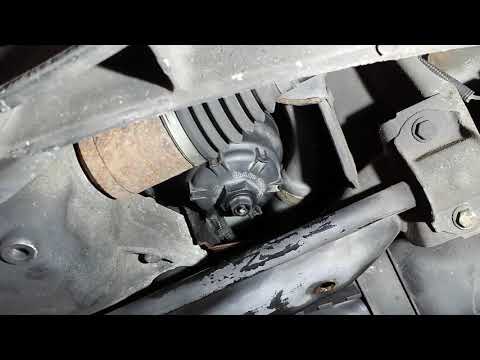
In this video, you will see where the fuel filter is located in a Volvo XC60 and how to proceed if you need to replace it. As shown, the filter is positioned at the lower part of the engine, right between the left half-shaft and the sway bar attachment. To replace the filter, first, go underneath the vehicle, taking all necessary safety precautions. Then, using an 18mm wrench, open the drain valve and allow any water present to escape. Next, unscrew the housing, remove the old filter, insert the replacement along with a new gasket, and reassemble everything. by ScegliAuto More videos
|
|
For advertising on this site Write to info@scegliauto.com
ScegliAuto is not responsible for any inaccuracy of the data in the lists. To report any inaccuracy or your business (if you own the business in question), please write to info@scegliauto.com
Number of seconds to generate the page: 1.068
(c) ScegliAuto 2026 - info@scegliauto.com - Privacy policy VAT number: IT01247470535 |
