
|
Do it yourself
| |||
| ||||


Skoda Superb - Warning light – error codeWarning Light – Error Code Skoda Superb (2015-2023 / 3 v, b 8) Skoda Superb (2008-2015 / B6, 3T) How to reset the TPMS light on the Skoda Superb If the TPMS light on the display of your Skoda Superb remains on even though there is no puncture, you must proceed with the manual reset of the light. Below …Read all… Posted on 15 March 2025 by ScegliAuto  Skoda Superb (2015-2023 / 3V, B8) Service Reset on Skoda Superb Thanks to this very useful video guide, you will see the entire fundamental procedure to reset the service light, which indicates the remaining life of the …Read all… Posted on 23 October 2026 by ScegliAuto  Skoda Superb (2015-2023 / 3V, B8) How to Reset the On-Board Computer in a Skoda Superb? In this tutorial, you will see how to reset the on-board computer in a Skoda Superb, an extremely simple and quick operation, for example, as an attempt to …Read all… Posted on 13 October 2026 by ScegliAuto  Skoda Superb (2015-2023 / 3V, B8) How to Reset the Infotainment System on a Škoda Superb? To reset the infotainment system on a Škoda Superb, turn on the instrument panel so you can scroll through the menu that appears on the screen in the centre …Read all… Posted on 9 October 2026 by ScegliAuto  Skoda Superb (2015-2023 / 3V, B8) Resetting the Service Light on Skoda Superb Today, learn how to reset the service light, which indicates the remaining life of the engine oil, on a Skoda Superb, third generation model produced from 2015 …Read all… Posted on 8 October 2026 by ScegliAuto 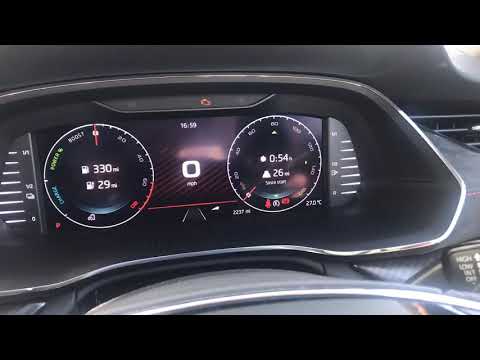 Skoda Superb (2015-2023 / 3V, B8) How to Reset the Trip Odometer on the Škoda Superb To reset the trip odometer on the Škoda Superb, you need to turn on the instrument cluster by turning the key in the ignition switch: once it is powered on, …Read all… Posted on 21 September 2026 by ScegliAuto  Skoda Superb (2015-2023 / 3V, B8) How to reset the trip meter on a Skoda Superb? Hello, today guide you through the process of resetting the trip meter on your Skoda Superb. To start, carefully enter the car. Next, turn on the instrument …Read all… Posted on 16 September 2026 by ScegliAuto 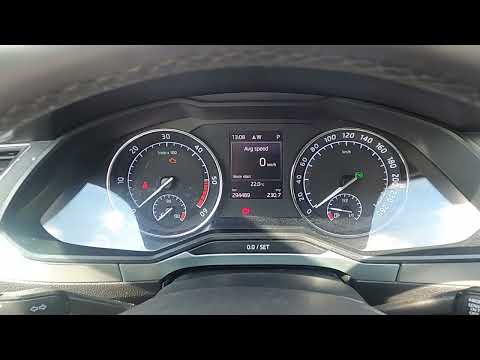 Skoda Superb (2015-2023 / 3V, B8) How to reset the trip meter in the Skoda Superb? In this tutorial, see how to reset the trip meter in the Skoda Superb, a very simple and quick operation. This trip meter can be useful for tracking specific …Read all… Posted on 9 September 2026 by ScegliAuto  Skoda Superb (2015-2023 / 3V, B8) Resetting the Service Light on a Skoda Superb In this brief video guide, you will see the step-by-step procedure to reset the service light on a Skoda Superb, specifically the model produced from 2015 to …Read all… Posted on 1 September 2026 by ScegliAuto 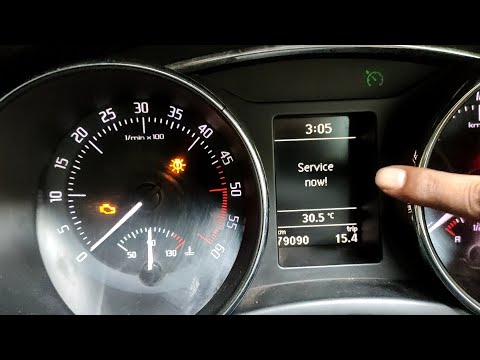 Skoda Superb (2008-2015 / B6, 3T) How to Reset the Service Light on a Skoda Superb In today's video, you will see how to clear the expired service message and reset the corresponding parameter on the Skoda Superb. First, turn on the …Read all… Posted on 19 September 2026 by ScegliAuto Warning Light – Error Code Skoda Superb (2008-2015 / b 6, 3 t)
Skoda Superb (2008-2015 / B6, 3T)How to reset the TPMS light on the Skoda Superb If the TPMS light on the display of your Skoda Superb remains on even though there is no puncture, you must proceed with the manual reset of the light. Below …Read all… Posted on 15 March 2025 by ScegliAuto
Skoda Superb (2015-2023 / 3V, B8)Service Reset on Skoda Superb Thanks to this very useful video guide, you will see the entire fundamental procedure to reset the service light, which indicates the remaining life of the …Read all… Posted on 23 October 2026 by ScegliAuto
Skoda Superb (2015-2023 / 3V, B8)How to Reset the On-Board Computer in a Skoda Superb? In this tutorial, you will see how to reset the on-board computer in a Skoda Superb, an extremely simple and quick operation, for example, as an attempt to …Read all… Posted on 13 October 2026 by ScegliAuto
Skoda Superb (2015-2023 / 3V, B8)How to Reset the Infotainment System on a Škoda Superb? To reset the infotainment system on a Škoda Superb, turn on the instrument panel so you can scroll through the menu that appears on the screen in the centre …Read all… Posted on 9 October 2026 by ScegliAuto
Skoda Superb (2015-2023 / 3V, B8)Resetting the Service Light on Skoda Superb Today, learn how to reset the service light, which indicates the remaining life of the engine oil, on a Skoda Superb, third generation model produced from 2015 …Read all… Posted on 8 October 2026 by ScegliAuto
Skoda Superb (2015-2023 / 3V, B8)How to Reset the Trip Odometer on the Škoda Superb To reset the trip odometer on the Škoda Superb, you need to turn on the instrument cluster by turning the key in the ignition switch: once it is powered on, …Read all… Posted on 21 September 2026 by ScegliAuto
Skoda Superb (2015-2023 / 3V, B8)How to reset the trip meter on a Skoda Superb? Hello, today guide you through the process of resetting the trip meter on your Skoda Superb. To start, carefully enter the car. Next, turn on the instrument …Read all… Posted on 16 September 2026 by ScegliAuto
Skoda Superb (2015-2023 / 3V, B8)How to reset the trip meter in the Skoda Superb? In this tutorial, see how to reset the trip meter in the Skoda Superb, a very simple and quick operation. This trip meter can be useful for tracking specific …Read all… Posted on 9 September 2026 by ScegliAuto
Skoda Superb (2015-2023 / 3V, B8)Resetting the Service Light on a Skoda Superb In this brief video guide, you will see the step-by-step procedure to reset the service light on a Skoda Superb, specifically the model produced from 2015 to …Read all… Posted on 1 September 2026 by ScegliAuto
Skoda Superb (2008-2015 / B6, 3T)How to Reset the Service Light on a Skoda Superb In today's video, you will see how to clear the expired service message and reset the corresponding parameter on the Skoda Superb. First, turn on the …Read all… Posted on 19 September 2026 by ScegliAuto Cigarette lighter (1) Airbag (2) Shocks (1) Battery (2) Transmission (1) Glove compartment (1) Key (6) Timing belt (1) V-belt (1) Air conditioner (1) Onboard computer (1) Checks and maintenance (12) Bearing (1) Tail light (3) Air filter (2) Cabin air filter (3) Diesel fuel filter (2) Accessory kit (1) Light bulb (2) Headlight bulb (1) Engine oil (1) Clock (2) Door trim panel (8) Instrument cluster (1) Fuse box (28) Side mirror (1) AdBlue warning light (1) Warning light – error code (10) Tire pressure warning light (12) Service warning light (63) Drivetrain (1) |
How to open the bonnet on a Volkswagen Golf?
In this tutorial, you will see how to open the bonnet on a Volkswagen Golf MK4. This is a very simple operation that follows the standard procedure. First, open the driver's door, then locate the lever in the lower left area and pull it. Next, move to the front of the vehicle, lift the bonnet slightly, and find the second lever located just above the Volkswagen logo. At this point, simply pull it towards you, fully open the bonnet, and secure it with the prop rod. To close it, gently push it down. by ScegliAuto More videos
|
|
For advertising on this site Write to info@scegliauto.com
ScegliAuto is not responsible for any inaccuracy of the data in the lists. To report any inaccuracy or your business (if you own the business in question), please write to info@scegliauto.com
Number of seconds to generate the page: 0.012
(c) ScegliAuto 2026 - info@scegliauto.com - Privacy policy VAT number: IT01247470535 |
