
|
Do it yourself
| |||
| ||||


How do you reset the tire pressure warning light on the Smart ForTwo?
Model: Smart Smart
453
- Years 2014-2022
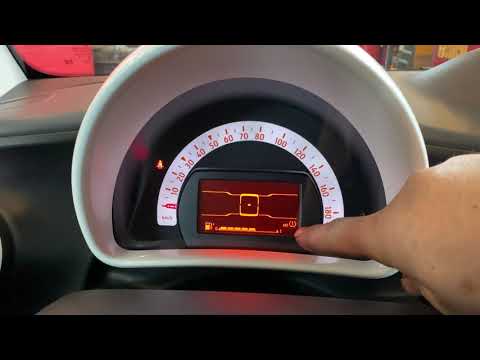
To reset the tire pressure warning light on the Smart ForTwo, you will need to inflate the tires until they reach the recommended pressure value: this value will be indicated on the sticker located on the driver's side door pillar. Once the tires are inflated, you can enter the vehicle and turn on the instrument panel: then you will need to press the button with the icon of sheets located at the end of the lever on the right side of the steering wheel. When the tire pressure message appears, hold down the OK button to make the warning light disappear.
Posted on 19 March 2025 by ScegliAuto
Video tutorial
Related tutorials
Smart
(2014-2022 /
453)
The tire pressure warning light that appears on the Smart ForTwo's instrument panel can be reset by inflating the tires until they reach the recommen…
Smart
(2007-2015 /
451)
To reset the tire pressure warning light on the Smart ForTwo, you need to inflate the tires to the optimal pressure value. This value is indicated on…

Smart
(2014-2022 /
453)
Following these brief and simple instructions, we will see how to reset the maintenance reminder for the engine oil change of the Smart Fortwo. First…
Other guides you may be interested in
|
When to Replace the Timing Chain on a Nissan X-Trail 2.0 dCi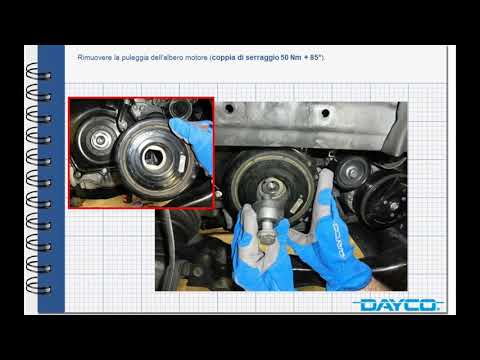
The timing system on this Nissan model uses a chain rather than a belt: there is no specific maintenance schedule for this type of timing system as there is for a timing belt, which should be replaced every 75,000 miles or 5 years; the chain, operating constantly in an oil bath, does not suffer from the usual wear and deterioration issues. With regular maintenance, it generally does not need replacing; however, it may stretch or the sliding pads may wear out, causing noise, especially during cold start: in this case, it will need replacing, usually occurring at a mileage exceeding 124,000 miles. by ScegliAuto More videos
|

|
For advertising on this site Write to info@scegliauto.com
ScegliAuto is not responsible for any inaccuracy of the data in the lists. To report any inaccuracy or your business (if you own the business in question), please write to info@scegliauto.com
Number of seconds to generate the page: 0.066
(c) ScegliAuto 2026 - info@scegliauto.com - Privacy policy VAT number: IT01247470535 |
