
|
Do it yourself
| |||
| ||||


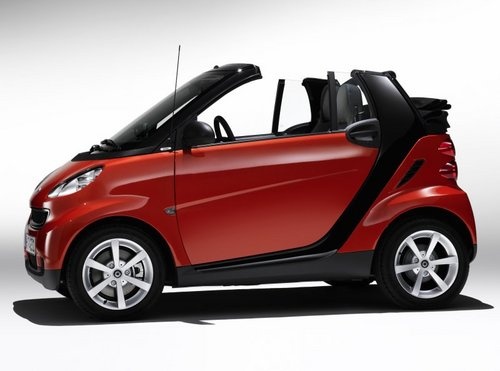
How do you replace the starter motor of the Smart car?
Model: Smart Smart
451
- Years:
2007, 2008, 2009, 2010, 2011, 2012, 2013, 2014, 2015
Video tutorial
In order to replace the starter motor of the Smart car, you will need to access the bottom of the engine compartment, which is located at the rear of the car: the starter motor will be positioned between the flywheel and the gearbox. Once it has been located, you will need to loosen the screws that hold it in place and disconnect the appropriate power cables: at this point it will be possible to completely remove the old starter motor in order to insert the new one. This can now be fixed and connected in order to verify that everything works in the correct way.
Posted on 9 April 2025 by ScegliAuto
Related tutorials
Smart
(1998-2007 /
450)
To replace the starter motor on the Smart, open the rear hatch of the car and remove the panel located at the base of the rear compartment, under whi…

Smart
(2004-2006 /
Fourfour1, 454)
Before you can start, open the rear engine cover located beneath the boot of your Smart ForTwo. Begin by removing the battery by disconnecting the tw…

Smart
(1998-2007 /
450)
To remove the starter motor from your vehicle, you will need to work on its lower part, so lift your vehicle and secure it on appropriate stands. The…
Other guides you may be interested in
|
Frequently Asked QuestionsHow to Set the Time in an Audi A4?
In this tutorial, you will see how to set the time in an Audi A4, a very simple and quick operation to perform after replacing the battery or when the time changes. First, insert the key and turn on the instrument cluster. Then, press the "SETUP" button located on the center console. Next, press the upper left arrow button, navigate to the "Time" option, and use the central knob to adjust the clock. Finally, set any necessary formats and save by returning to the main screen. by ScegliAuto More videos
|
|
For advertising on this site Write to info@scegliauto.com
ScegliAuto is not responsible for any inaccuracy of the data in the lists. To report any inaccuracy or your business (if you own the business in question), please write to info@scegliauto.com
Number of seconds to generate the page: 0.036
(c) ScegliAuto 2026 - info@scegliauto.com - Privacy policy VAT number: IT01247470535 |
