
|
Do it yourself
| |||
| ||||



How to replace the door pocket nets of the Smart 451
Model: Smart Smart
451
- Years:
2007, 2008, 2009, 2010, 2011, 2012, 2013, 2014, 2015
Video tutorial
In this video we see how to replace the storage nets of the internal doors of the Smart 451: we can find the original parts on edsmartpatrs.nl with the code N1757left at a price of 66.95 euros each + 8.95 euros for shipping. First, we will have to remove the external panel of the door, removing the two bolts found at the top on the inside: this will allow us to remove the handle, after disconnecting the electrical connector. Now we have to remove the corner on the side of the rearview mirror: here the spaces are tight, but after removing the internal panel we will remove the mirror by removing three T20 screws and the electrical connector. Under the mirror we now see a screw to remove, and one in the thickness of the door. Now the external panel is free and we remove it. Now it would be possible to unscrew the screws on the outside and change the storage net, but moisture could enter through those holes. So it is advisable to remove the internal panel. The procedure is not described in the video, but it is rather simple. We have to remove the plastic covers of the internal handle to reach the screws, disconnect the electric window regulators. When it is free, loosen it and from the outside try to push it outwards to remove all the electrical connectors that are still connected. Now, from the back of the panel, after removing the part that protects from external moisture, we can remove the five screws holding the nets, remove them and put the new ones in their place. Now all that remains is to tighten the five screws, put everything back in place and repeat the operation on the other side!
Posted on 20 August 2025 by ScegliAuto
Related tutorials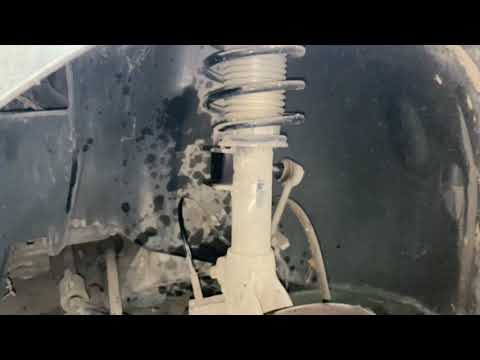
Smart
(2007-2015 /
451)
To replace the shock absorbers on the Smart 451, lift the car so that the wheel corresponding to the shock absorber to be removed can be completely t…

Smart
(2007-2015 /
451)
If, after performing the regular service on your Smart 451 (2007-2015), you notice that the warning light continues to illuminate on the dashboard, p…
Smart
(2007-2015 /
451)
Usually, when you buy a car, a maintenance and repair booklet is provided; in this case, you need the repair manual for the Smart 451 roof. But what …
Other guides you may be interested in
|
How to Reset the AdBlue Warning Light on a Peugeot Boxer
To reset the AdBlue system on a 2018 Peugeot Boxer, follow these steps: Start the engine and ensure the vehicle is parked in a well-ventilated area. Locate the "MENU" button on the dashboard or steering wheel controls. Press and hold the "MENU" button until the menu options appear on the display. Use the arrow buttons or scroll wheel to access the "Vehicle Settings" or "Settings" menu. Select the "AdBlue" or "AdBlue System" option. Look for the "Recharge" or "Reset" option in the AdBlue menu. Once you find the reset option, select it and confirm your choice when prompted. The system will be reset, and a confirmation message may appear on the display. Turn off the engine and wait a few seconds. Restart the engine and check that the AdBlue system has been reset. by ScegliAuto More videos
|
|
For advertising on this site Write to info@scegliauto.com
ScegliAuto is not responsible for any inaccuracy of the data in the lists. To report any inaccuracy or your business (if you own the business in question), please write to info@scegliauto.com
Number of seconds to generate the page: 0.129
(c) ScegliAuto 2026 - info@scegliauto.com - Privacy policy VAT number: IT01247470535 |
