
|
Do it yourself
| |||
| ||||


Oil and Filter Replacement for Smart 700
Model: Smart Smart
450
- Years:
1998, 1999, 2000, 2001, 2002, 2003, 2004, 2005, 2006, 2007
Video tutorial
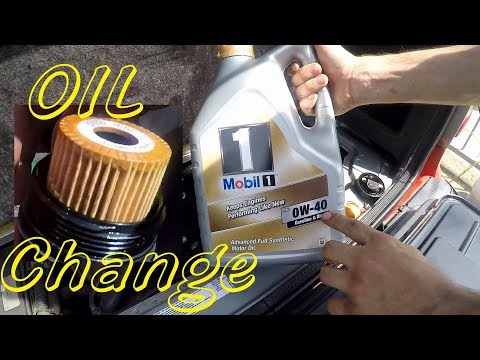
The vehicle must be safely raised on a flat surface, as it is not possible to operate otherwise (using a ramp or workshop stands). Position a container to collect the used oil that will drain from the engine. Remove the oil dipstick from the engine bay and the engine oil cap. Using a 27 mm socket, remove the engine oil cap located on the sump, corresponding to the right driveshaft. This operation does NOT guarantee the complete removal of the old oil. You will need to use an oil extractor as illustrated in the video, inserting the probe where the dipstick was previously and sucking out the residual oil. Next, remove the oil filter from the previously removed metal cap and replace it with a new one, ensuring to clean the cap of old oil with a cloth. Also, replace the sealing washer of the cap. Refit the oil cap on the sump and secure it with the 27 mm socket. Fill the engine with new oil and wait a few minutes before closing the cap. Start the engine for the first time (the oil warning light may come on for a few seconds) to allow the new filter to fill with oil. Run the engine for 5 minutes, then turn it off, wait 2-3 minutes, and check the level. If necessary, top up to bring the oil to the maximum level.
Updated on 21 March 2026 by ScegliAuto
Related tutorials
Smart
(1998-2007 /
450)
In this brief guide, you will find the main instructions for removing and replacing the timing chain on the Smart Fortwo 450, with a 600 or 700 petro…
Smart
(1998-2007 /
450)
How do you replace the engine oil filter on a Smart Fortwo? Open the car's tailgate and pull up the engine bay release lever. Lift the car on a jack …

Smart
(1998-2007 /
450)
The 700 petrol engine in this car model is equipped with a three-cylinder turbocharged engine and has two spark plugs per cylinder, making a total of…
Other guides you may be interested in
|
Frequently Asked QuestionsWhere is the Reset Button for the Tyre Light on a Hyundai Ix35?
The instrument cluster of the Hyundai Ix35 is equipped with a tyre light that illuminates to alert the driver of low pressure in one or more tyres. In addition to simply having a flat tyre, there could also be a puncture or a malfunction of the monitoring sensor. Once the nature of the problem is determined and resolved, you can quickly reset the tyre light by pressing the button depicting a flat tyre, located on the left side of the steering wheel, for a few seconds, waiting for the warning to turn off on the instrument cluster. by ScegliAuto More videos
|
|
For advertising on this site Write to info@scegliauto.com
ScegliAuto is not responsible for any inaccuracy of the data in the lists. To report any inaccuracy or your business (if you own the business in question), please write to info@scegliauto.com
Number of seconds to generate the page: 0.061
(c) ScegliAuto 2026 - info@scegliauto.com - Privacy policy VAT number: IT01247470535 |
