
|
Do it yourself
| |||
| ||||


Gear lever maintenance on Smart Fortwo
Model: Smart Smart
451
- Years 2007-2015
First, wrap the attachment of the knob to the gear lever with a lot of paper tape or with rags, then use a rather large pliers (perhaps those with snap grip) to unscrew slightly, by about 45 degrees, the aforementioned attack. The fact of wrapping it therefore has the purpose of avoiding damaging it. Now pull the knob with your hand, turning it slightly at the same time to help it come out of its seat. Grease the plastic area at the top of the gear lever, then the lever itself and the internal attachment, with a special spray such as the HHS 2000. Reassemble the knob on the lever.
Posted on 3 July 2021 by ScegliAuto
Video tutorial
Related tutorials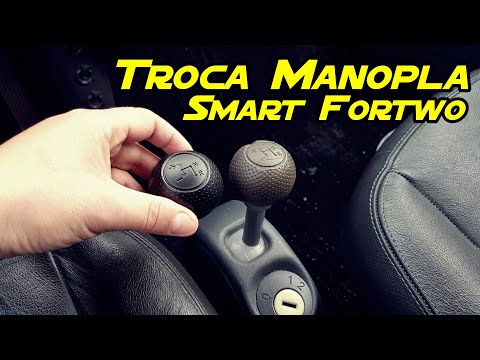
Smart
(2004-2006 /
454, Fourfour1)
Before we begin, we will have to sit in the driver's seat of our Smart ForTwo. In order to be able to carry out this disassembly in complete safety, …

Smart
(1998-2007 /
450)
Let's discover in a few simple steps the process that will allow us to disassemble and replace the gear knob of the Smart Fortwo. First of all, we ge…
Smart
(1998-2007 /
450)
Before we can begin, we will have to go and sit in the driver's seat of our Smart ForTwo. To carry out this operation in total safety, it is highly r…
Other guides you may be interested in
|
Frequently Asked QuestionsHow to Pair Smartphone with Bluetooth System on Fiat Tipo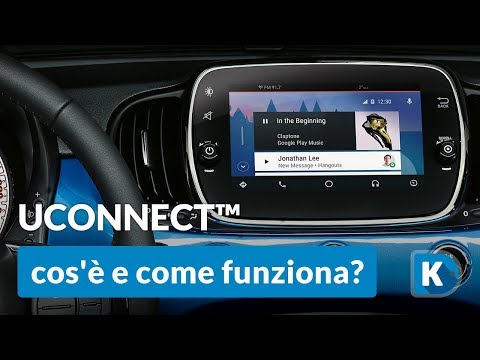
Here’s how to pair your smartphone with the Bluetooth system of the Fiat Tipo's car radio: activate the Bluetooth on your smartphone and set the car radio to connect with the external device. When the car's multimedia system detects your smartphone's Bluetooth, confirm and click on the 'new cell' option. Once the system has detected the smartphone, enter the pairing password if necessary. Finally, download the app on your smartphone and confirm the pairing with the car's multimedia system. Now your smartphone is connected to your car. by ScegliAuto More videos
|

|
For advertising on this site Write to info@scegliauto.com
ScegliAuto is not responsible for any inaccuracy of the data in the lists. To report any inaccuracy or your business (if you own the business in question), please write to info@scegliauto.com
Number of seconds to generate the page: 0.059
(c) ScegliAuto 2026 - info@scegliauto.com - Privacy policy VAT number: IT01247470535 |
