
|
Do it yourself
| |||
| ||||


How to install smoked LED indicators on a Smart 451
Model: Smart Smart
451
- Years 2007-2015
In this video tutorial, you will see how to install smoked LED indicators on a Smart 451 by following simple steps: first, purchase the LED indicators from an authorised dealer or online (follow the link in the description). Take a screwdriver and pry to detach the side of the indicator; the next step is to insert the screwdriver into the upper space (see video) and release the plastic lever by pressing to the right. Now turn the lamp holder and detach it; then remove the bulb and replace it with the connector of the new indicator. Reassemble the indicator, inserting the right side first and then pressing until you hear a click. Start the car and test the operation of the new indicators.
Updated on 11 August 2026 by ScegliAuto
Video tutorial
Related tutorials
Smart
(2007-2015 /
451)
ESP stands for Elektronisches Stabilitätsprogramm, also known in the UK as ESC or Electronic Stability Control. It is disabled when the road is parti…

Smart
(2007-2015 /
451)
The guide shows how to disassemble the turn signals of the Smart ForTwo 451. To perform the operation properly, it is advisable to use a plastic leve…
Smart
(2007-2015 /
451)
To install a double DIN car radio or multimedia system in a Smart 451, you need to: remove the panel on the central console that contains the hazard …
Other guides you may be interested in |
How to Open the Fuel Cap of the Volkswagen Jetta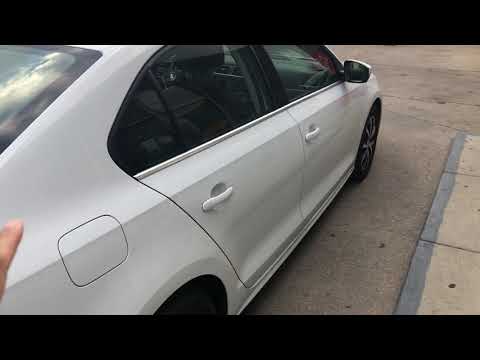
When you need to refuel this vehicle, first open the fuel filler flap. Follow these simple instructions, and you can also watch the video for more details. First, unlock the central locking to open the flaps. Then, press the fuel cap with your hand to unlock it and open it. Underneath, you will find the fuel cap, which you need to unscrew counterclockwise. At this point, you can proceed to refuel. by ScegliAuto More videos
|

|
For advertising on this site Write to info@scegliauto.com
ScegliAuto is not responsible for any inaccuracy of the data in the lists. To report any inaccuracy or your business (if you own the business in question), please write to info@scegliauto.com
Number of seconds to generate the page: 0.074
(c) ScegliAuto 2026 - info@scegliauto.com - Privacy policy VAT number: IT01247470535 |
