
|
Do it yourself
| |||
| ||||


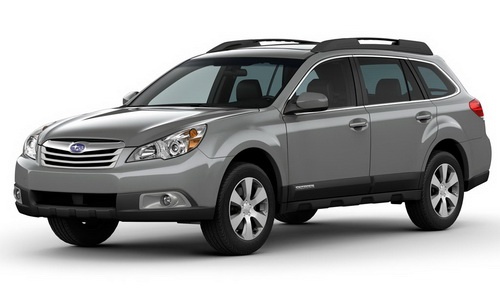
How to Replace the Fog Light of the Subaru Outback
Model: Subaru Outback
BR, BM, MK 4
- Years:
2009, 2010, 2011, 2012, 2013, 2014
Video tutorial
Fog lights are among the most important components in the Subaru Outback and, in general, in all cars equipped with them. Their function is to increase visibility while driving during days with heavy fog, so it is crucial to replace them in case of malfunction. To do this, first remove the rubber cover located at the lower part of the car corresponding to the fog light in question. Next, locate the bulb, disconnect the connector, and remove it by turning it counterclockwise. Finally, replace it with a new one and reconnect the connector. Refit the plastic cover by screwing in the screws, and you are done.
Updated on 9 May 2026 by ScegliAuto
Related tutorials
Subaru Outback
(2009-2014 /
BR, BM, MK 4)
Here are the steps to remove and replace the front fog light bulb on the Subaru Outback. First, move to the front of the vehicle and start by removin…

Subaru Outback
(2003-2009 /
BL, BP, MK 3)
To replace the front headlamp bulb on a Subaru Outback, open the bonnet to access the rear of the headlamp corresponding to the bulb to be replaced. …

Subaru Outback
(2009-2014 /
BR, BM, MK 4)
To replace the bulb on the Subaru Outback, open the bonnet to access the rear of the headlight: here, you will find the connector that needs to be di…
Other guides you may be interested in
|
How to Activate the Automatic Folding and Unfolding of the Wing Mirrors on the Jeep Compass
Follow these brief instructions to activate the automatic folding and unfolding of the external wing mirrors on the Jeep Compass. First, get inside the vehicle and turn on the ignition; then press the button located beneath the mirror glass adjustment to electrically open the mirror, as shown in the video. Pressing the button in the opposite direction will close the mirrors; by holding the button, the mirrors will open and close automatically! by ScegliAuto More videos
|
|
For advertising on this site Write to info@scegliauto.com
ScegliAuto is not responsible for any inaccuracy of the data in the lists. To report any inaccuracy or your business (if you own the business in question), please write to info@scegliauto.com
Number of seconds to generate the page: 0.061
(c) ScegliAuto 2026 - info@scegliauto.com - Privacy policy VAT number: IT01247470535 |
