
|
Do it yourself
| |||
| ||||


Where is the Battery Located in the Suzuki Apv
Model: Suzuki Apv
MK 1
- Years 2004-2024
As seen in this video, the battery of the Suzuki Apv is not located in the engine compartment like in other vehicles. Instead, it is positioned under the driver's seat, so to remove it or perform maintenance, you must first remove the seat. The following video specifically shows the installation of a new battery. First, position the battery in the designated space under the driver's seat. Next, connect the appropriate cables, starting with the positive terminal and then the negative terminal. At this point, the battery is ready to start the vehicle.
Updated on 4 June 2026 by ScegliAuto
Video tutorial
Related tutorials
Suzuki Apv
(2004-2024 /
MK 1)
If you want to attempt a DIY battery replacement on this vehicle, you can find the instructions in this description and also check out the tutorial v…
Suzuki Apv
(2004-2024 /
MK 1)
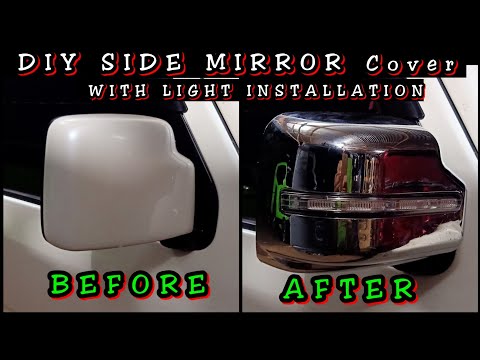
Replacing the side mirror cover on a Suzuki APV is easy. Start by removing the mirror: take off the pillar cover to expose the wires and screws. Disc…
Suzuki Apv
(2004-2024 /
MK 1)
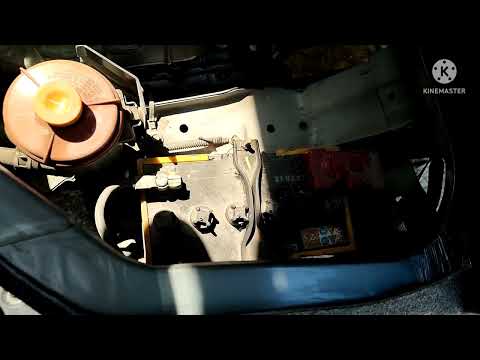
If your vehicle won't start, the battery is likely dead and needs to be replaced. Follow the instructions below. On this vehicle, the battery is loca…
Other guides you may be interested in
|
Frequently Asked QuestionsHow to Open the Bonnet on the Lancia Y
To open the bonnet on this vehicle, follow these simple instructions: first, open the driver's door and locate the lever positioned just below the dashboard, marked with an image of the vehicle with the bonnet open. Pull this lever towards you until you hear a "click" indicating the bonnet is released. Next, exit the cabin and stand in front of the bonnet to disengage the safety catch and complete the opening. To do this, slightly lift the bonnet, locate the yellow lever underneath, and pull it to the left to fully release and open the bonnet. by ScegliAuto More videos
|
|
For advertising on this site Write to info@scegliauto.com
ScegliAuto is not responsible for any inaccuracy of the data in the lists. To report any inaccuracy or your business (if you own the business in question), please write to info@scegliauto.com
Number of seconds to generate the page: 0.418
(c) ScegliAuto 2026 - info@scegliauto.com - Privacy policy VAT number: IT01247470535 |
