
|
Do it yourself
| |||
| ||||


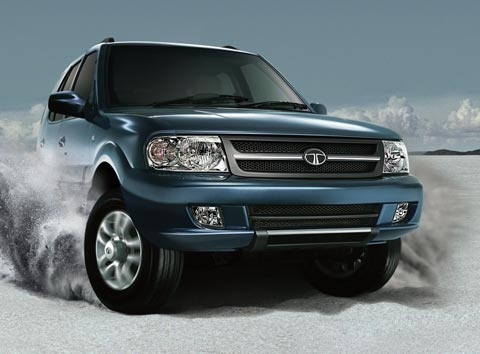
How to Change the Oil on a Tata Safari
Model: Tata Safari
MK 1
- Years:
1998, 1999, 2000, 2001, 2002, 2003, 2004, 2005, 2006, 2007, 2008, 2009
This video is currently unavailable
If you want to change the engine oil and filter on your Tata Safari but are unsure how to proceed, don't worry, as this mini guide provides all the necessary information. First, turn off the vehicle completely and allow the engine to cool down. Next, lift it with a hydraulic jack and access the oil sump in the lower part of the engine bay. Position a suitable container, remove the plug, and let all the used oil drain out. Immediately after, remove the old filter and replace it with a new one. Finally, go to the engine bay and pour the new fluid into the oil reservoir (you can use a funnel or a rubber hose to assist).
Updated on 22 June 2026 by ScegliAuto
Related tutorials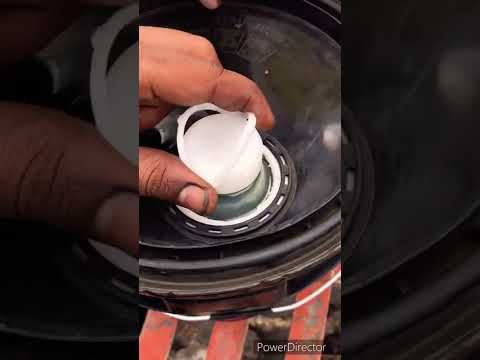
Tata Safari
(1998-2019 /
MK 1)
In this new guide dedicated to your Tata Safari, discover how to correctly change the engine oil and the corresponding filter. First, turn off your v…

Tata Safari
(1998-2019 /
MK 1)
Is your vehicle not braking well? Let's look at the removal and replacement of the brake pads from the Tata Safari. Loosen the pins with a telescopic…

Tata Safari
(2021-2026 /
MK 2)
If the AdBlue light in the instrument panel of our Tata Safari has turned on, it means that the liquid of the anti-pollution system has reached the m…
Other guides you may be interested in
|
How to Reset the Tyre Pressure Warning Light on the Jeep Renegade?
To reset the tyre pressure warning light on the Jeep Renegade, inflate the tyres until they reach the recommended pressure: this value is indicated on the sticker attached to the driver’s door pillar. Once the tyres are properly inflated, navigate through the menu that appears on the instrument cluster until you find the tyre pressure option. At this point, press and hold the OK button on the right side of the steering wheel to make the warning light disappear. by ScegliAuto More videos
|
|
For advertising on this site Write to info@scegliauto.com
ScegliAuto is not responsible for any inaccuracy of the data in the lists. To report any inaccuracy or your business (if you own the business in question), please write to info@scegliauto.com
Number of seconds to generate the page: 0.044
(c) ScegliAuto 2026 - info@scegliauto.com - Privacy policy VAT number: IT01247470535 |
