
|
Do it yourself
| |||
| ||||


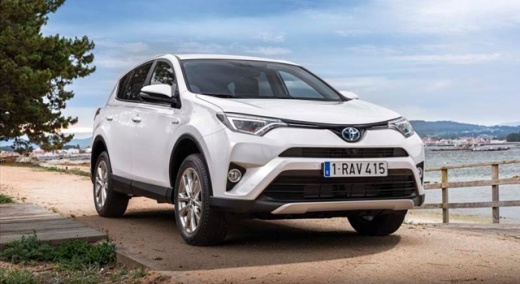
Fitting Universal Roof Bars on a Toyota Rav 4
Model: Toyota Rav 4
Xa40, MK 4
- Years:
2013, 2014, 2015, 2016, 2017, 2018
Video tutorial
Let's see how to fit universal roof bars on a Toyota Rav 4. Universal roof bars are used on cars with and without roof rails (fixed bars secured to the car roof). Install the roof bar kit as shown in the video, using bars calibrated to the width of the car. Position the brackets at both ends of the car doors. Once the width of the anchoring brackets is adjusted, tighten the pins with the butterfly bolt (if a lock is present) until they are fully secured to the roof rails of the car. Finally, apply the safety caps on both sides.
Updated on 2 March 2026 by ScegliAuto
Related tutorials
Toyota Rav 4
(2013-2018 /
Xa40, MK 4)
Can you tighten a bolt? Great, because that's all you need to know to install roof bars on a Toyota Rav 4, and the video demonstrates this. First, in…

Toyota Rav 4
(2019-2026 /
MK 5, Xa50)
In this tutorial, you can see how to fit roof bars on a Toyota RAV4, a very simple and quick operation. First, assemble the various parts of the kit …
Toyota Rav 4
(2019-2026 /
MK 5, Xa50)
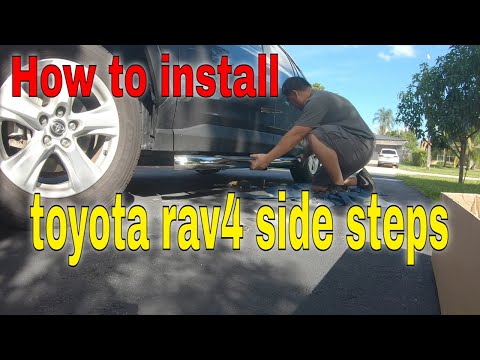
In this brief and simple guide, follow the steps to install the side bars on the Toyota Rav 4. First, lift the vehicle and remove the plastic clips f…
Other guides you may be interested in
|
How to Reset the Tire Pressure Light on a MG ZS?
On the instrument cluster of the MG ZS, the tire pressure light that appears can be reset by inflating the tires to the correct pressure: this value will be indicated on the sticker attached to the driver's door pillar. Once the tires have been properly inflated, you can turn on the instrument cluster and navigate through the menu until you find the option that indicates tire pressure: if this screen shows the new values, the light will turn off; otherwise, you will need to drive for a few miles so that the sensors can read the new values and turn off the light afterward. by ScegliAuto More videos
|
|
For advertising on this site Write to info@scegliauto.com
ScegliAuto is not responsible for any inaccuracy of the data in the lists. To report any inaccuracy or your business (if you own the business in question), please write to info@scegliauto.com
Number of seconds to generate the page: 0.042
(c) ScegliAuto 2026 - info@scegliauto.com - Privacy policy VAT number: IT01247470535 |
