
|
Do it yourself
| |||
| ||||


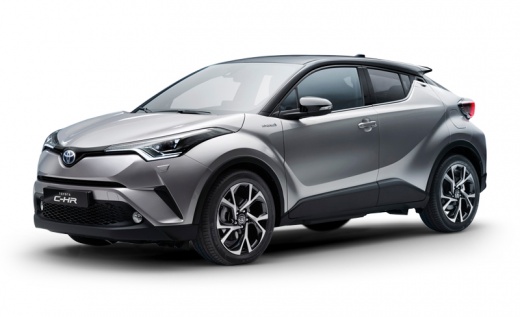
How to use and what are the features of the infotainment system in a 2021 Toyota C-HR?
Model: Toyota C Hr
Ax10, MK 1, Ax50
- Years:
2016, 2017, 2018, 2019, 2020, 2021, 2022, 2023
Video tutorial
The infotainment system of the 2021 Toyota C-HR is a truly intuitive system, designed to make driving more comfortable and enjoyable. The heart of the system is the 8-inch touchscreen display, which allows you to easily access maps, music, and much more. You can connect your smartphone via Apple CarPlay or Android Auto, so you have all the apps you use daily directly on the car. The system also includes digital DAB radio, Bluetooth for calls and streaming, and voice commands so you don't get distracted while driving. In short, it's like having your personal assistant always at hand, with a simple and super practical interface. Whether you need to navigate or listen to your favorite playlist, it has never been easier!
Posted on 6 October 2025 by ScegliAuto
Related tutorials
Toyota C Hr
(2023-2026 /
MK 2)
In the following guide, we will explain the steps you need to take to easily locate the fuse box located inside the cabin of your latest Toyota C-HR.…

Toyota C Hr
(2016-2023 /
Ax10, MK 1, Ax50)
In this video, you can see where the fuse boxes are located on the Toyota C-HR and their respective diagrams, useful in case you need to check the fu…
Toyota C Hr
(2016-2023 /
Ax10, MK 1, Ax50)
Toyota Safety Sense helps avoid risks for the driver and passengers in potentially dangerous situations. The PCS (Pre-Collision System) uses a camera…
Other guides you may be interested in |
How to reset the tyre pressure warning light on the Kia Niro EV?
To reset the tyre pressure warning light on the Kia Niro EV, inflate the tyres until they reach the correct pressure value. This value is indicated on the sticker attached to the driver's door pillar. Once the tyres are inflated, turn on the instrument cluster to check that the warning light has completely disappeared from the display. If it is still present, you may need to drive for a few miles to ensure it disappears completely from the screen. by ScegliAuto More videos
|
|
For advertising on this site Write to info@scegliauto.com
ScegliAuto is not responsible for any inaccuracy of the data in the lists. To report any inaccuracy or your business (if you own the business in question), please write to info@scegliauto.com
Number of seconds to generate the page: 0.061
(c) ScegliAuto 2026 - info@scegliauto.com - Privacy policy VAT number: IT01247470535 |
