
|
Do it yourself
| |||
| ||||


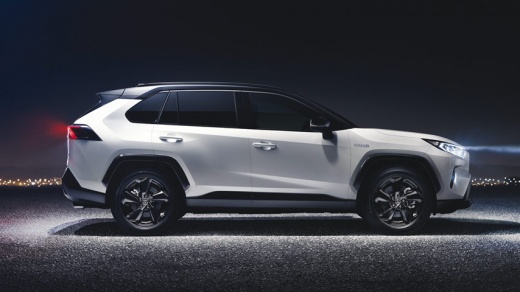
How to Reset the TPMS Light on a Toyota RAV4
Model: Toyota Rav 4
- Years:
2019, 2020, 2021, 2022, 2023, 2024, 2025, 2026
Video tutorial
To reset the tyre pressure monitoring system (TPMS) light on a Toyota RAV4, first check the tyre pressures when cold and adjust them to the values indicated on the vehicle's label. Next, turn on the panel without starting the engine and, using the controls on the steering wheel, access the settings menu of the instrument display. Select the Vehicle Settings section, then the TPWS or Tyre Pressure option, depending on the trim. Choose the pressure setting function and confirm the initialisation by following the displayed instructions. The system will store the new reference values while driving. If the light continues to indicate a fault, check the pressure and the operation of the sensors.
Posted on 24 October 2026 by ScegliAuto
Related tutorials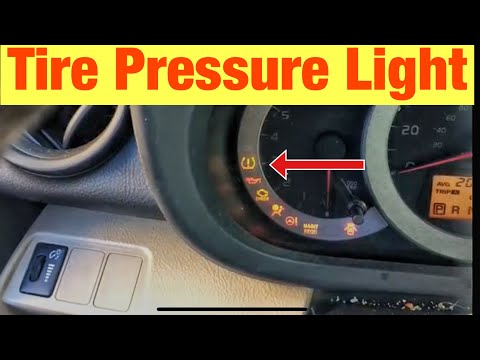
Toyota Rav 4
(2006-2013 /
MK 3, Xa30)
In this short and simple guide, you will learn how to reset the tyre pressure warning light (TPMS) on a Toyota RAV4. Initially, when you turn on the …
Toyota Rav 4
(2006-2013 /
MK 3, Xa30)
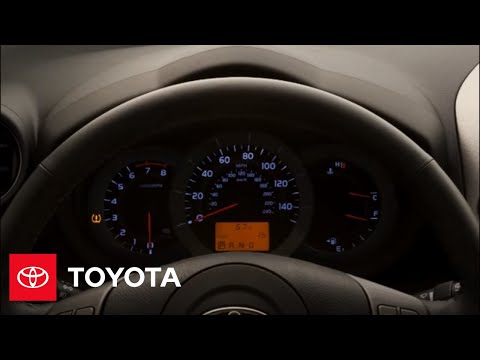
To reset the TPMS light, which relates to tyre pressure, you must check and adjust the pressure of all four tyres. After completing this initial step…

Toyota Rav 4
(2019-2026 /
MK 5, Xa50)
The video shows how to reset the TPMS light on a 2020 Toyota RAV4 Hybrid. When the light comes on, check the pressure of all four tyres and also the …
Other guides you may be interested in
|
How to adjust the handbrake on the Smart Fortwo?
To adjust the handbrake on the Smart Fortwo, loosen the screws securing the left rear wheel so that it can be removed: after the wheel has been removed from its seat, loosen the screws securing the corresponding brake drum, locating the shoes and the handbrake mechanism. This can be adjusted by tightening or loosening the shoes to regulate the intensity of the handbrake; once the adjustment is complete, verify that the operation has been successfully finished. by ScegliAuto More videos
|
|
For advertising on this site Write to info@scegliauto.com
ScegliAuto is not responsible for any inaccuracy of the data in the lists. To report any inaccuracy or your business (if you own the business in question), please write to info@scegliauto.com
Number of seconds to generate the page: 0.041
(c) ScegliAuto 2026 - info@scegliauto.com - Privacy policy VAT number: IT01247470535 |
